
Admin Web Application
Administrative interface for system management, monitoring, and configuration.
flowchart TB
    subgraph ACC[Account Management]
        A1[Admin Users<br/>Azure AD]
        A2[Customer Accounts]
        A3[Account Validations]
    end
    subgraph DATA[Investment Data]
        D1[Symbol List Templates]
        D2[Symbol Lists]
        D3[Position Reports]
    end
    subgraph RPT[Reports - Jobs]
        R1[Generate Report]
        R2[Report Generations]
        R3[AI Report Dashboard]
    end
    subgraph BILL[Billing - Comms]
        B1[Billing - Usage]
        B2[Email Queue]
        B3[SMS Queue]
        B4[Payment Methods]
    end
    subgraph OPS[Operations]
        O1[System Health]
        O2[Activity Log]
        O3[Critical Errors]
        O4[Manage Folders]
        O5[System Analytics]
        O6[Report Traffic Pattern]
    end
    subgraph CONT[Content]
        C1[Knowledge Base]
        C2[Blog - Announcements]
        C3[Support Requests]
        C4[Public Tickers]
    end
    ADMIN([Admin - Azure AD]):::sec --> ACC
    ACC --> DATA
    DATA --> RPT
    RPT --> BILL
    BILL --> OPS
    ACC --> CONT
    classDef app fill:#1f2630,stroke:#C0894E,color:#F3EFE8;
    classDef svc fill:#241c14,stroke:#E2B583,color:#F3EFE8;
    classDef data fill:#22201a,stroke:#C0894E,color:#EBD3AE;
    classDef ext fill:#1b1f27,stroke:#5A616B,color:#C4C0B8;
    classDef sec fill:#1d2733,stroke:#5cc8e0,color:#eafaff;
    class A1,A2,A3 app;
    class D1,D2,D3 data;
    class R1,R2,R3 svc;
    class B1,B2,B3,B4 svc;
    class O1,O2,O3,O4,O5,O6 svc;
class C1,C2,C3,C4 ext;Gmi.AdminWeb.Blazor
The administrative web application provides comprehensive system management capabilities with 71 pages covering every aspect of the Grade My Investments platform. The navigation mirrors the customer portal's structure — a Macro Environment Reports section (dashboard, ML forecasts, lab, commodities, commodities ML forecasts, calendar, and the Macro Engine room), a stock-specific reports section, and Shared Reports — so an operator moving between the two apps finds the same shape:
- System dashboard with health monitoring
- Admin user management (Azure AD)
- Customer account management, including per-platform "Guided first report: done / not yet" status with a reset for re-testing
- Watchlist Dashboard, Stock Screener, Recurring Reports, Earnings Setup, Investor Legends and Smart Lists, each run as the selected account
- Alerts Operations (realized margin, top spenders, cap hits, STOPs, per-event kill switches) and a per-account alerts view
- Account validation workflows
- Symbol list template management
- Symbol list administration
- Position report management
- Payment method oversight
- Email & SMS notification management
- Report generation & job management
- AI report dashboard with financial deep-dive
- Billing, usage & financials
- Email & SMS queue monitoring
- System health & activity logging
- Critical errors monitoring & resolution
- Folder & file management
- Manage Knowledge Base articles
- Manage Blog posts
- Manage Announcements
- Manage Changelog entries
- Manage Maintenance Windows
- Support Requests management
- Feature Requests management
- Bug Reports management
- Platform Feedback management
- Public Ticker management (/grade/{TICKER} SEO pages)
- System Analytics dashboard
- Report Traffic Pattern monitoring
Admin Application Screenshots
Screenshots showcasing the key administrative pages and functionality of the Grade My Investments Admin Web Application:
System Dashboard
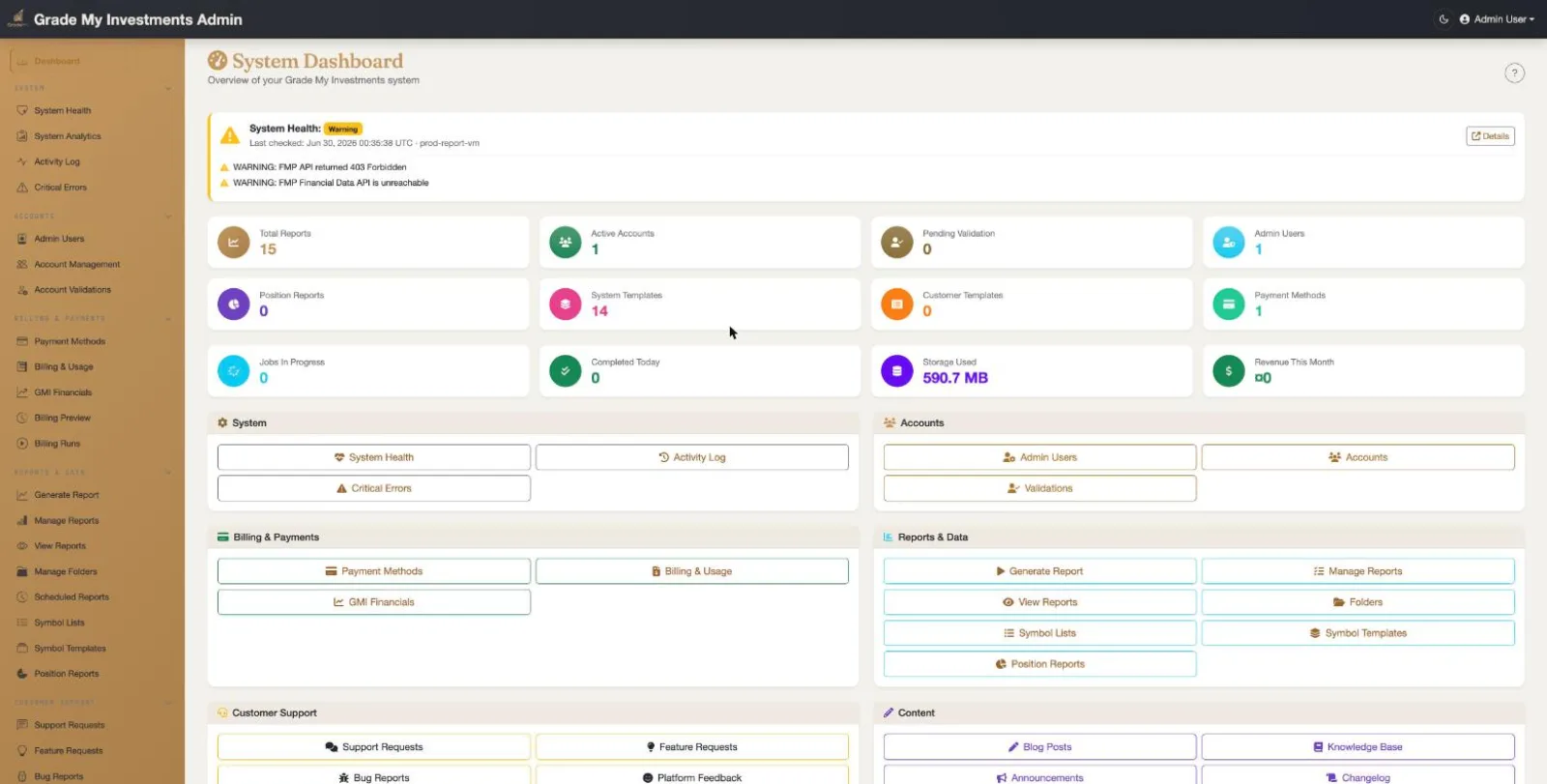
Administrative Dashboard Overview
The modernized admin dashboard provides a complete system overview:
- System Health Banner: Real-time health status with color-coded indicators and warning details from the health monitor
- Key Metrics: Eight metric cards showing total reports, active accounts, pending validations, admin users, position reports, system/customer templates, and payment methods
- Quick Actions: Organized by category (Users & Accounts, Reports & Data, Symbol Lists & Templates, Billing & Notifications, System & Monitoring) with buttons for every major admin function
- Contextual Help: Page help button provides in-app guidance explaining dashboard sections and metrics
Admin User Management
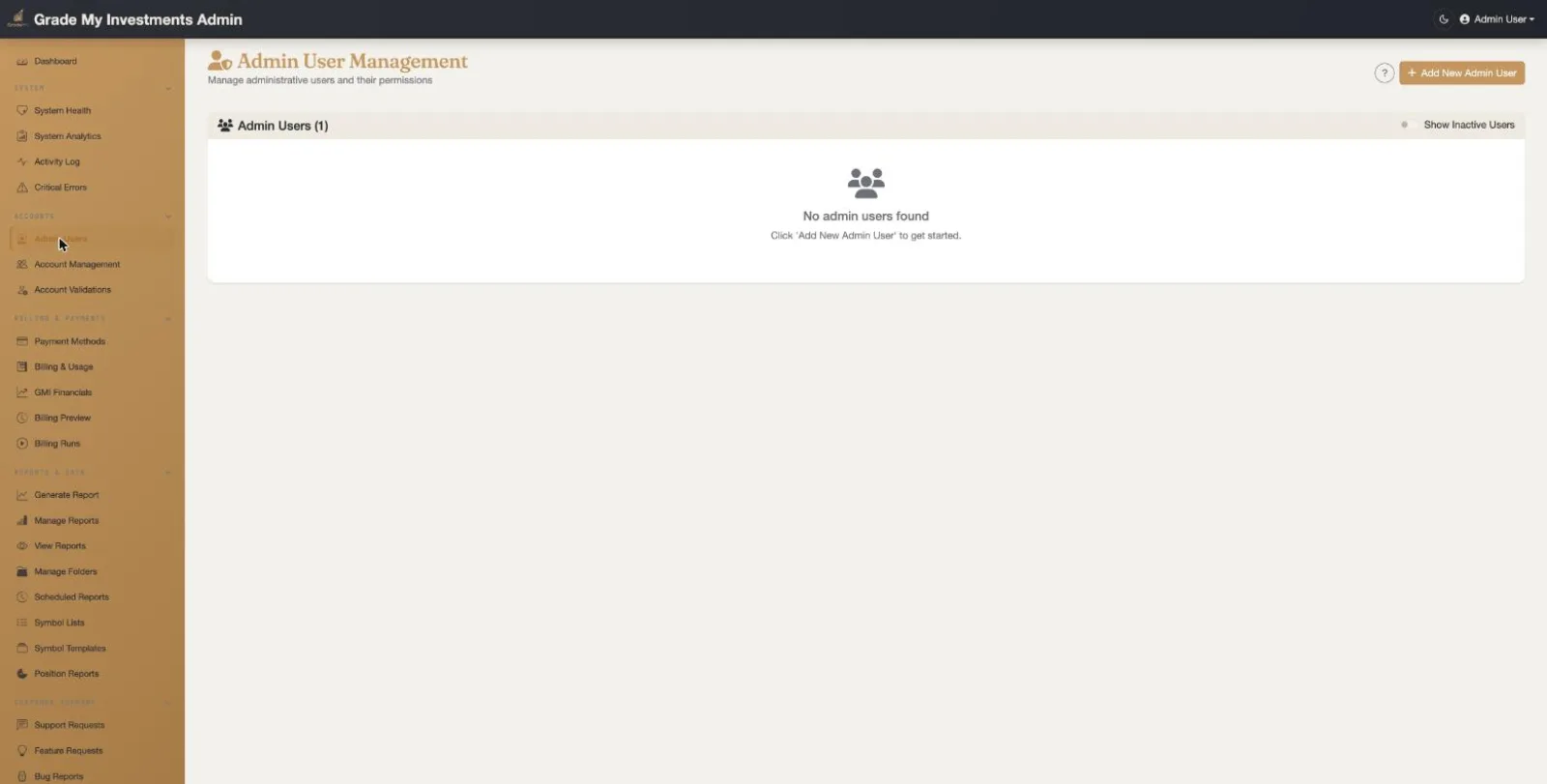
Azure AD Admin User Management
Manage admin users with Azure Active Directory integration:
- User Directory: View all admin users with their Azure AD object IDs and email addresses
- Role Assignment: Assign admin roles (Admin, Support) for system access control
- Status Management: Activate or deactivate admin user accounts
- Add New Admins: Register new admin users by Azure AD email and assign roles
Account Management
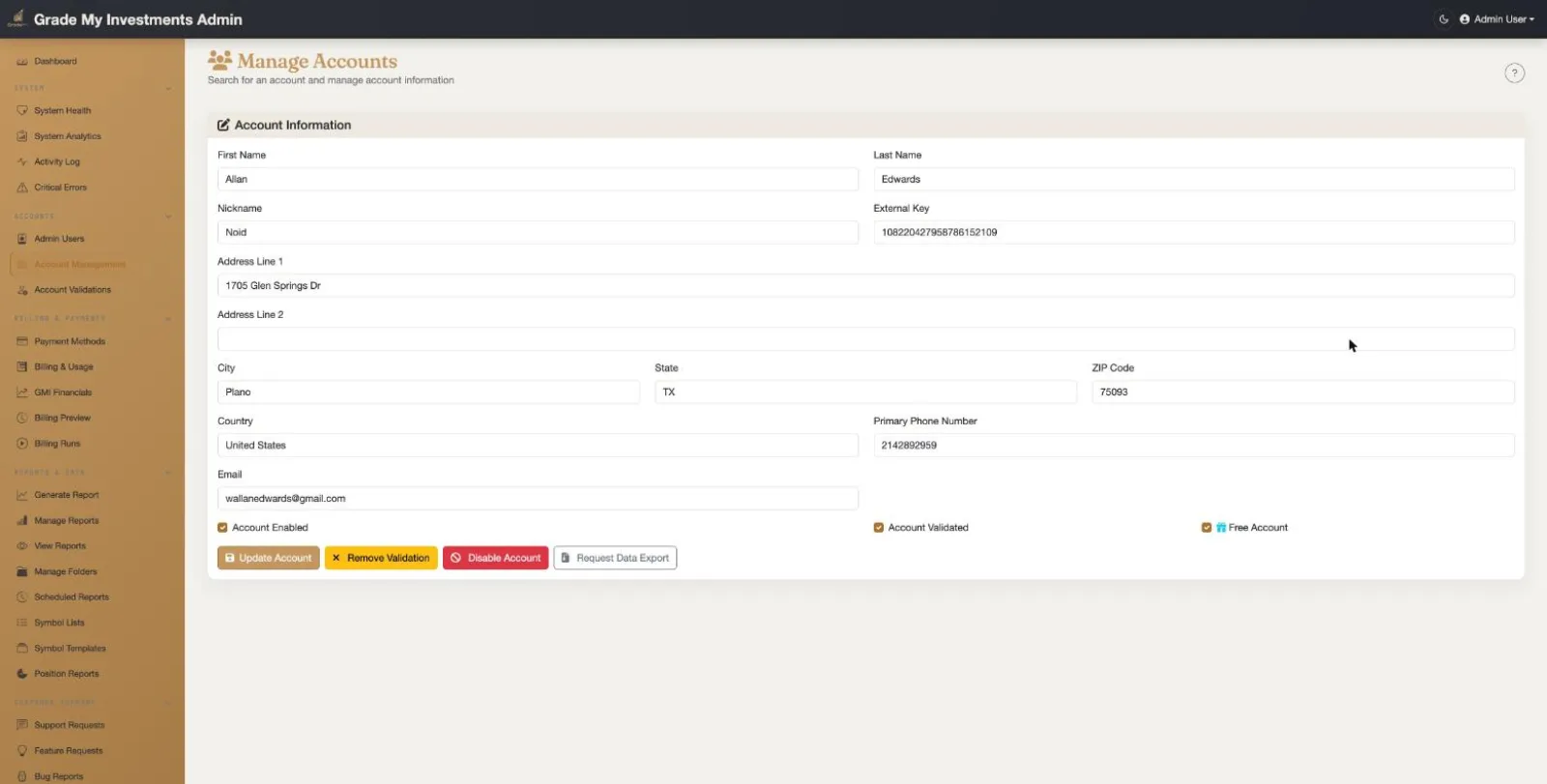
Customer Account Management
Comprehensive management of all customer accounts:
- Account Listing: Searchable and filterable list of all customer accounts with status indicators
- Account Details: View and edit account profiles, contact information, and preferences
- Status Management: Activate, suspend, or manage account lifecycle
- Usage Overview: Per-account report counts, storage usage, and billing information
Account Validations
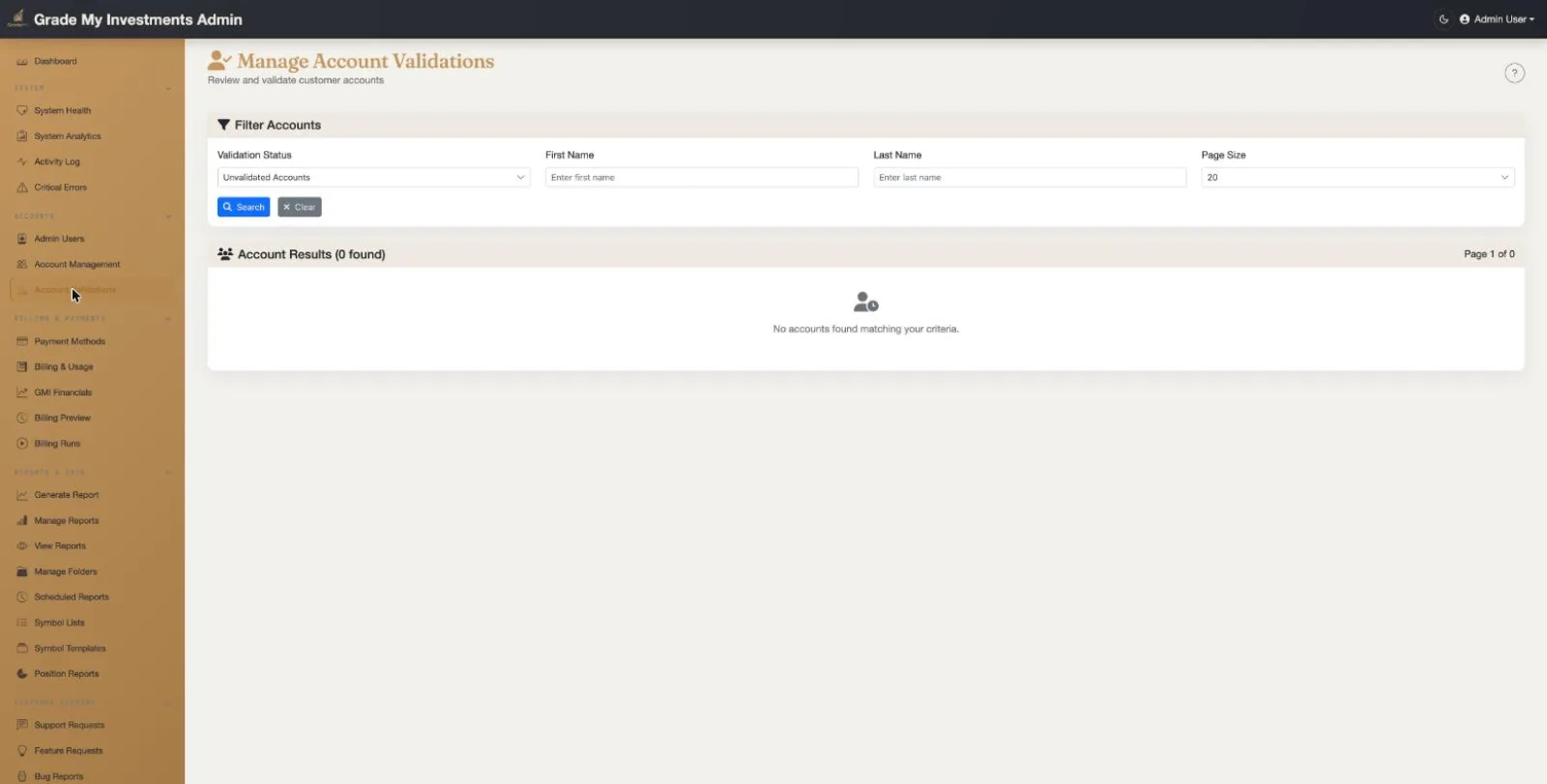
Account Validation Workflow
New accounts activate automatically on email verification — no approval queue. This view gives admins oversight:
- New Signups: Visibility into recently registered accounts and their activation state
- Email Verification: Track email validation status for each account
- Manual Override: Disable (or re-enable) an account when intervention is warranted
- Dashboard Alerts: New registrations surface as dashboard notifications
Symbol List Templates
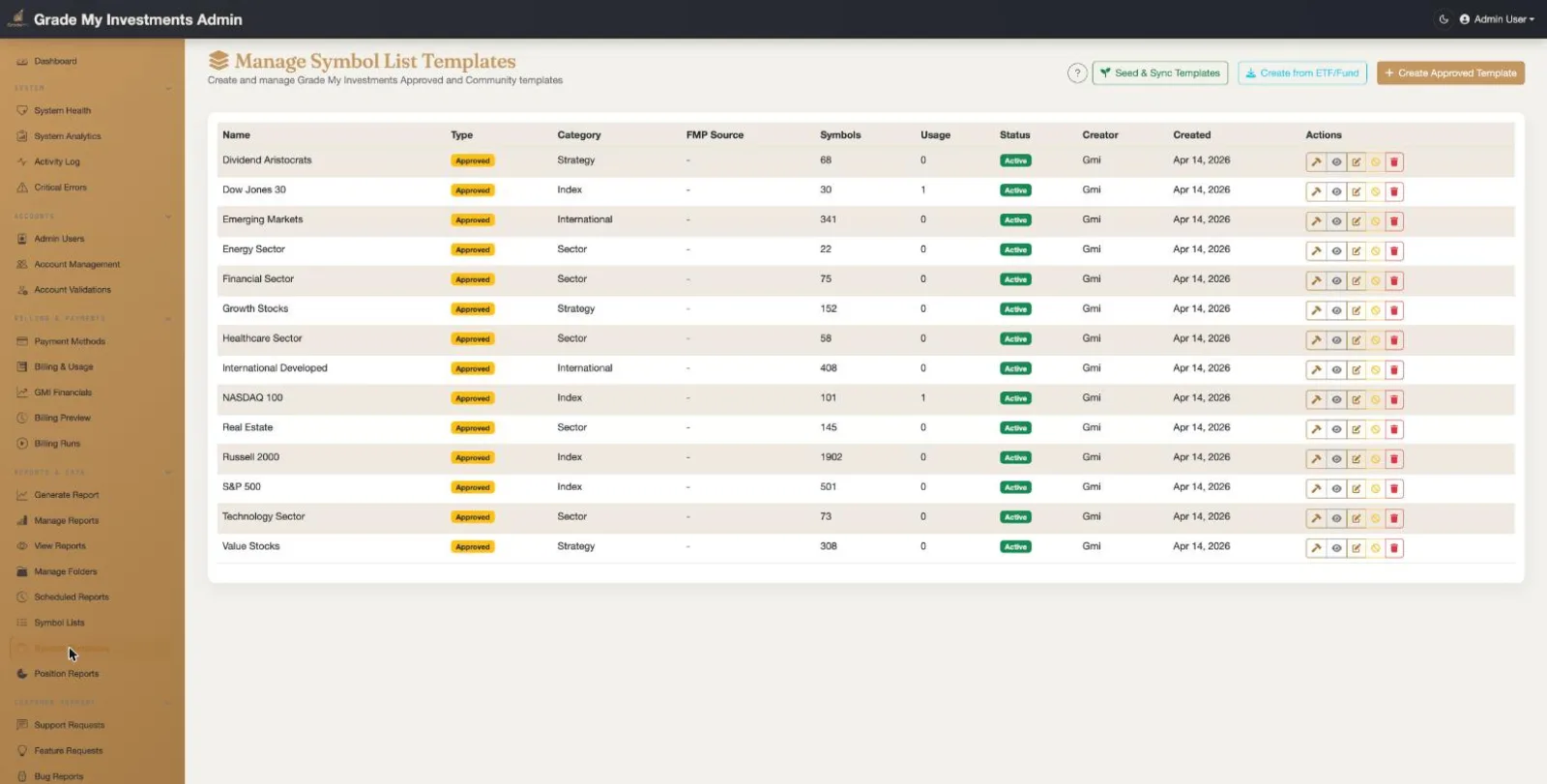
Symbol List Template Management
Comprehensive management of pre-built symbol list templates:
- Template Table: Detailed table showing Name, Type (Strategy/Index/Sector/International), Category, FMP Source symbol, symbol count, usage stats, status, and creator
- ETF-Sourced Templates: Templates populated from ETF holdings via FMP API -- Dividend Aristocrats, Dow Jones 30, S&P 500, NASDAQ 100, sector and international ETFs
- Sync & Import: Seed and sync templates from FMP ETF data, import from FMP Fund, or create approved templates manually
- Status Management: Color-coded status badges and active/inactive toggle for each template
- Add/Edit Template: Dedicated editor page with symbol entry (one per line or comma-separated), FMP symbol validation, category/tag classification, and description fields
Manage Symbol Lists
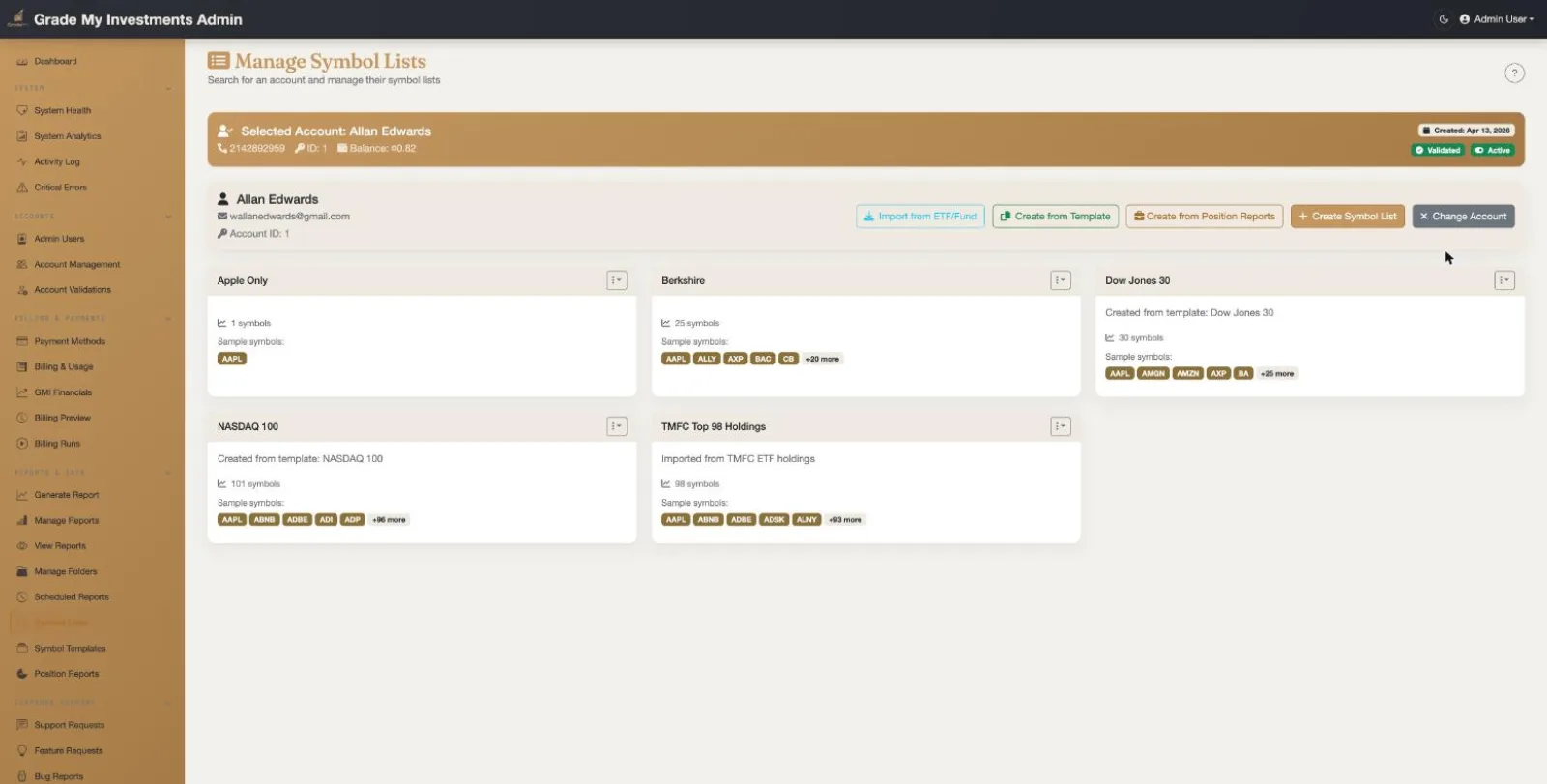
Cross-Account Symbol List Administration
View and manage symbol lists across all customer accounts:
- Global Overview: Browse all symbol lists across every account
- Symbol Details: View individual symbols within each list
- Account Context: See which account owns each symbol list
- List Management: Administrative control over symbol list data
- Add/Edit Symbol List: Dedicated editor page to create or edit symbol lists on behalf of any user account with FMP symbol validation
Position Reports
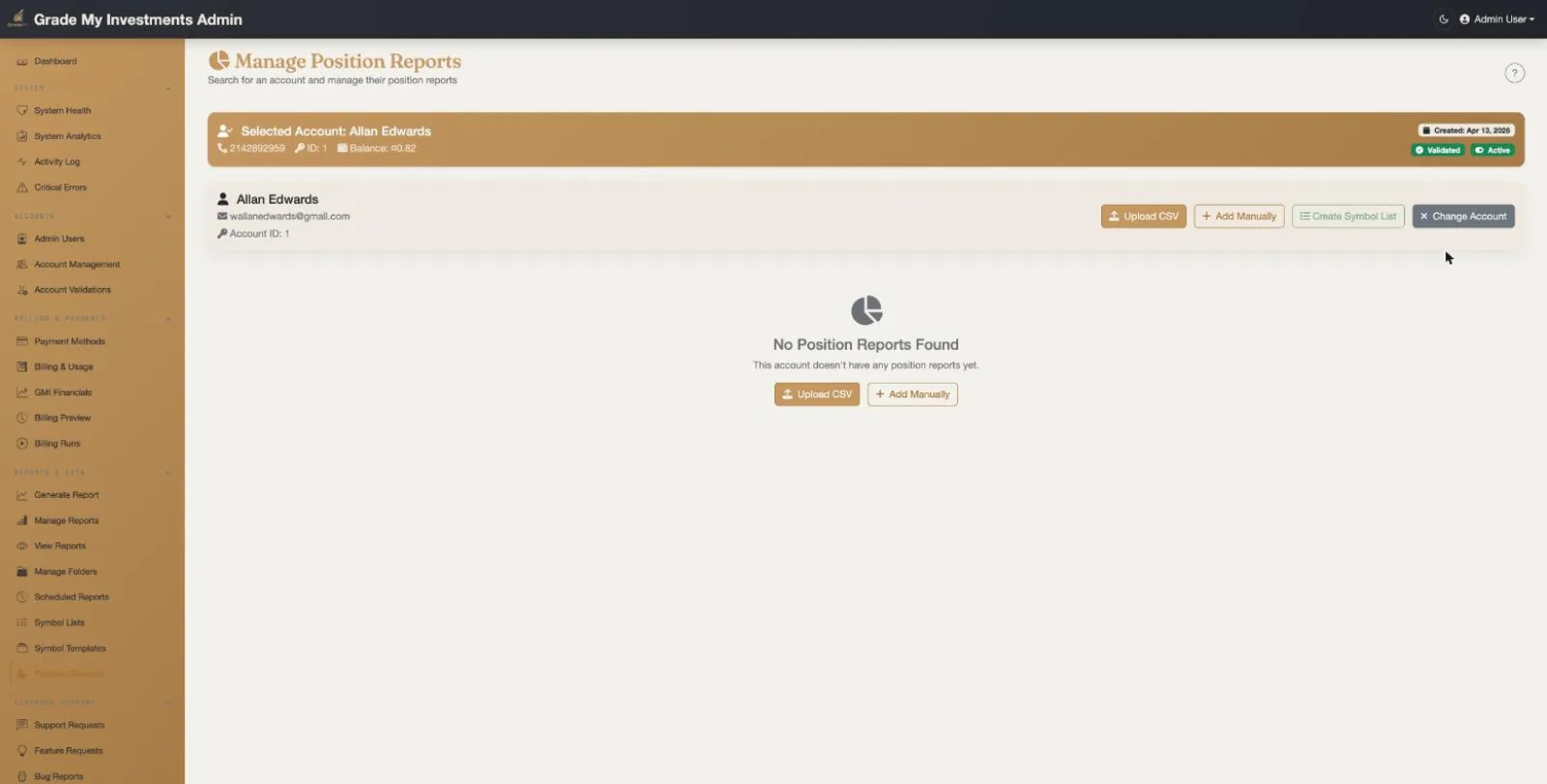
Position Report Administration
Manage portfolio position reports across all accounts:
- Portfolio Overview: View position reports and their holdings across accounts
- Position Details: Individual stock positions with symbol, shares, and cost basis
- Account Association: Track which accounts have position reports configured
- Data Integrity: Validate position data for projected analysis reports
- View Position Report: Dedicated detail page to view, add, edit, and delete individual positions within a report with FMP symbol validation
Manage Payment Methods
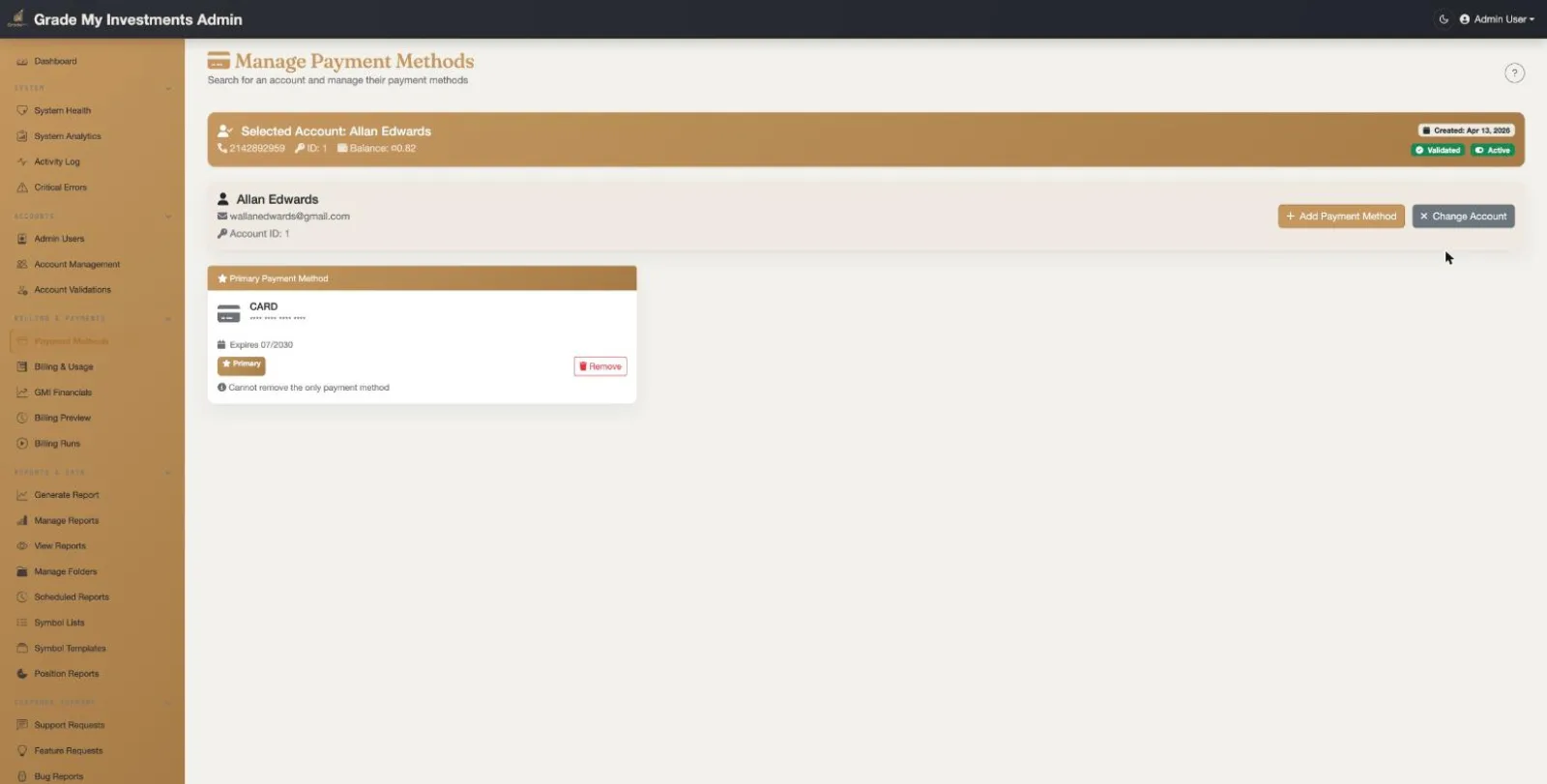
Payment Method Administration
Oversee payment methods across all customer accounts:
- Card Overview: View all payment methods with masked card details
- Stripe Integration: Tokenized card storage via Stripe for PCI compliance
- Default Management: View and manage default payment method assignments
- Billing Support: Assist customers with payment method issues
Manage Email Notification Addresses
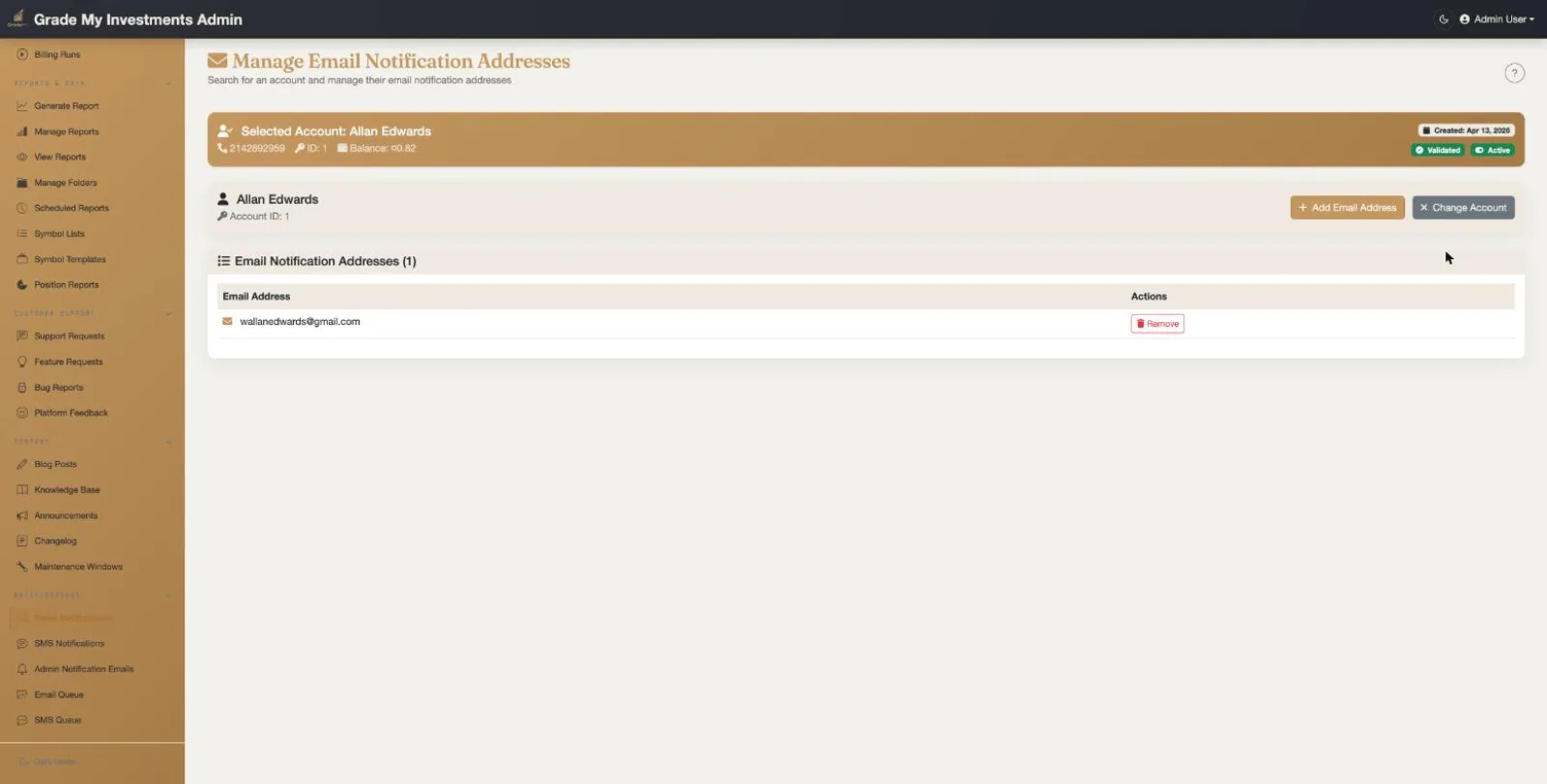
Email Notification Address Management
Manage email notification addresses for all accounts:
- Address Management: View and manage email addresses configured for notifications across accounts
- Verification Status: Track email address verification and validation status
- Notification Routing: Ensure report completion and system notifications reach the right recipients
Manage SMS Notification Numbers
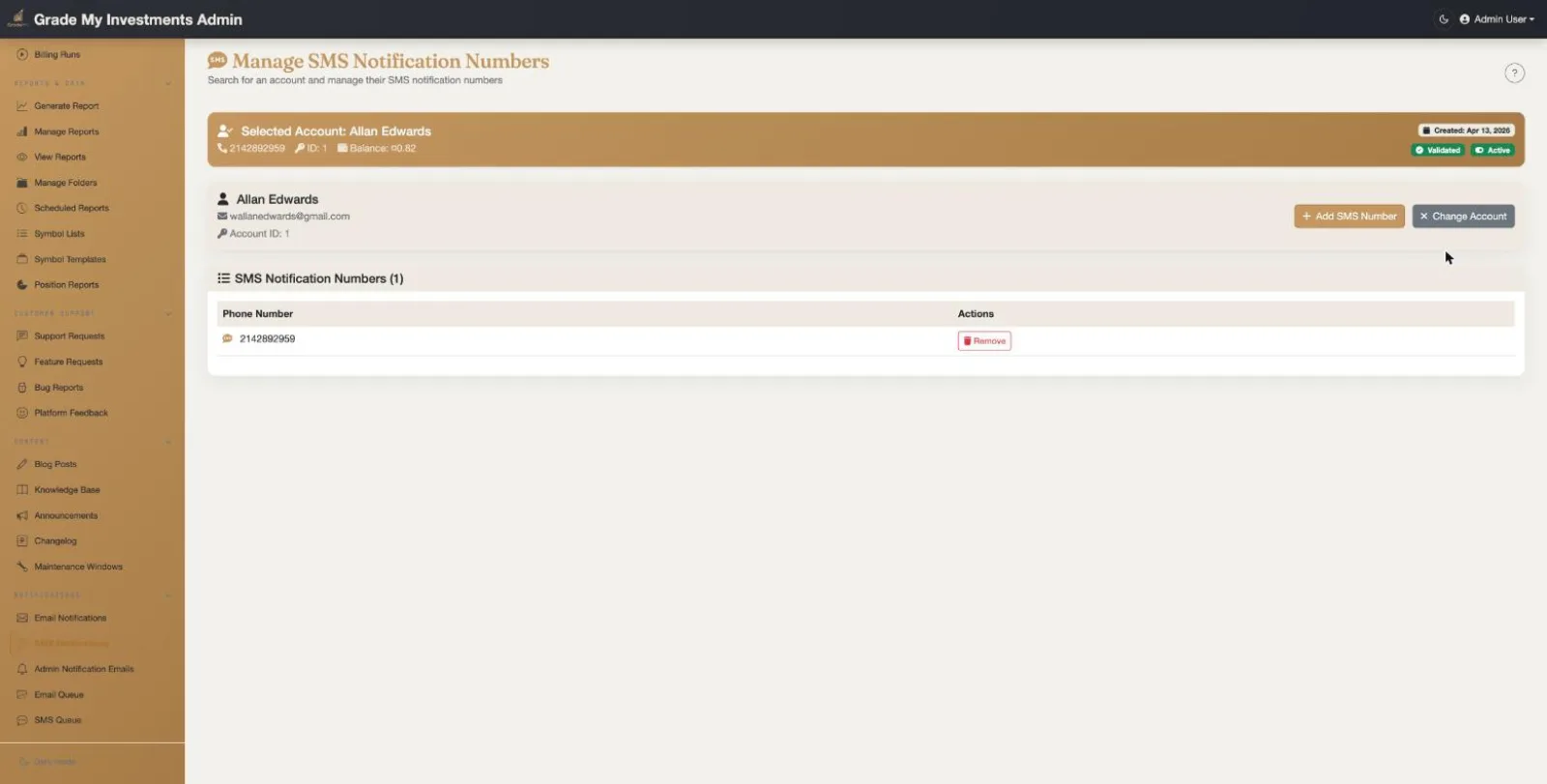
SMS Notification Number Management
Manage SMS phone numbers for all accounts:
- Phone Numbers: View and manage SMS notification numbers across accounts
- Twilio Integration: SMS delivery via Twilio with verification support
- Notification Routing: Configure which numbers receive job completion alerts
Generate Report
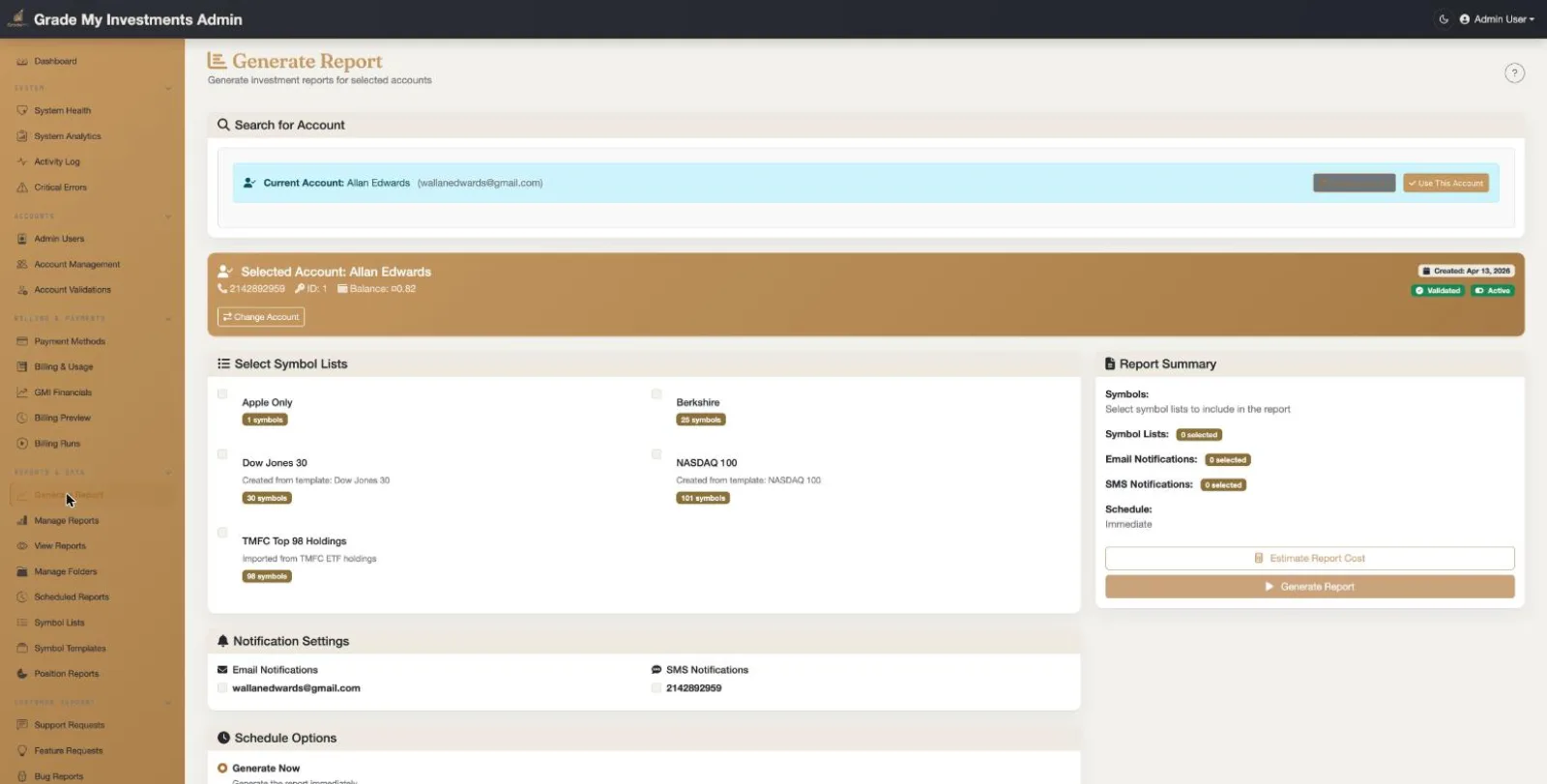
Administrative Report Generation
Generate reports on behalf of any customer account:
- Account Selection: Generate reports for any customer account
- Symbol Lists: Select from the account's symbol lists for analysis
- Report Configuration: Choose output format and folder destination
- Job Submission: Submit report generation jobs to the processing queue
Manage Report Generations
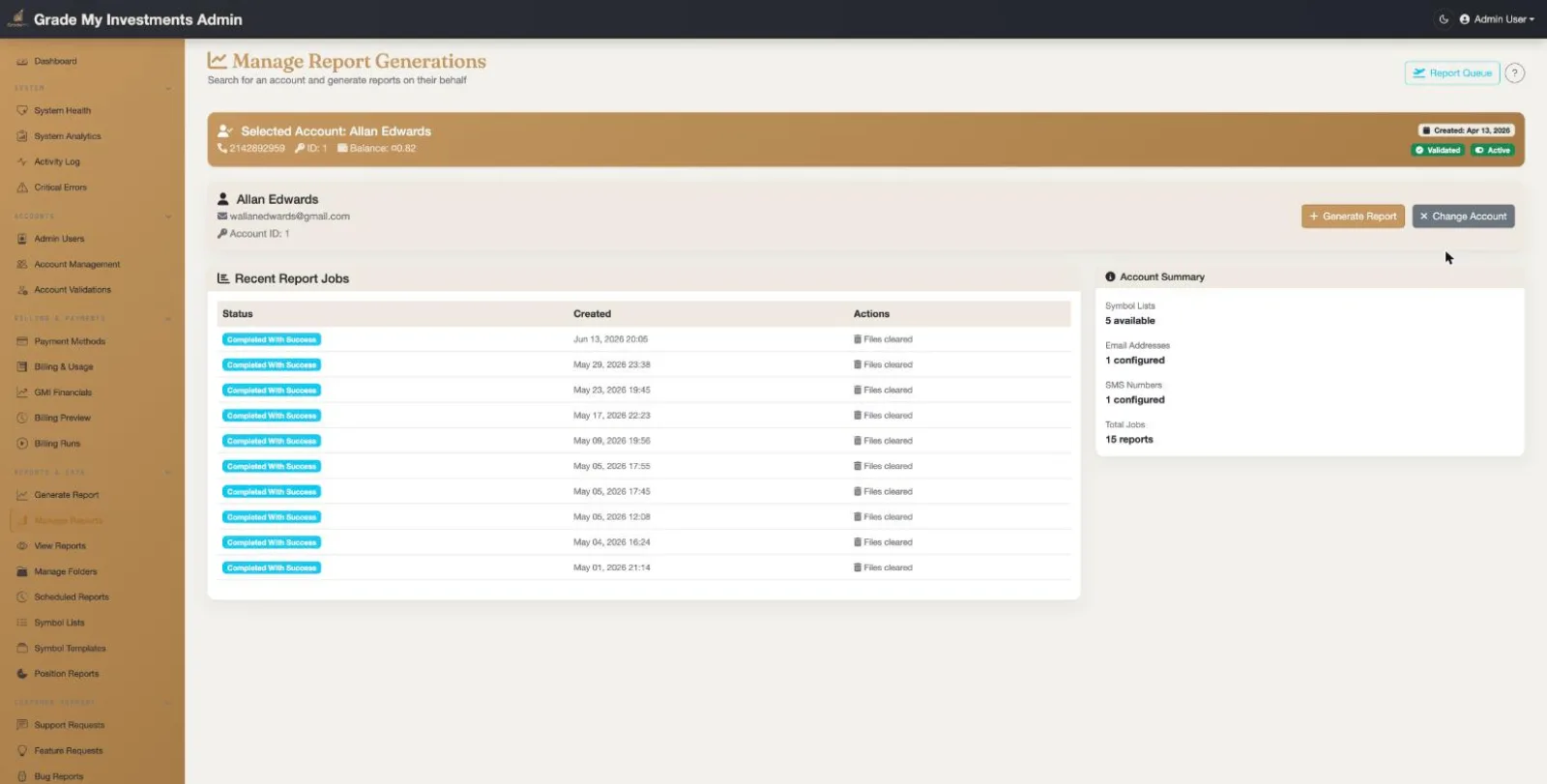
Report Generation Job Management
Monitor and manage report generation jobs per account:
- Account Context: Per-account view with account search and selection, showing account details and status
- Recent Report Jobs: Table of recent jobs with color-coded status badges and creation timestamps
- Account Summary: Sidebar showing symbol lists, email notifications, SMS numbers, folders, and total report count for the selected account
- Quick Actions: Generate report and change account buttons for fast administrative actions
View Report Generations
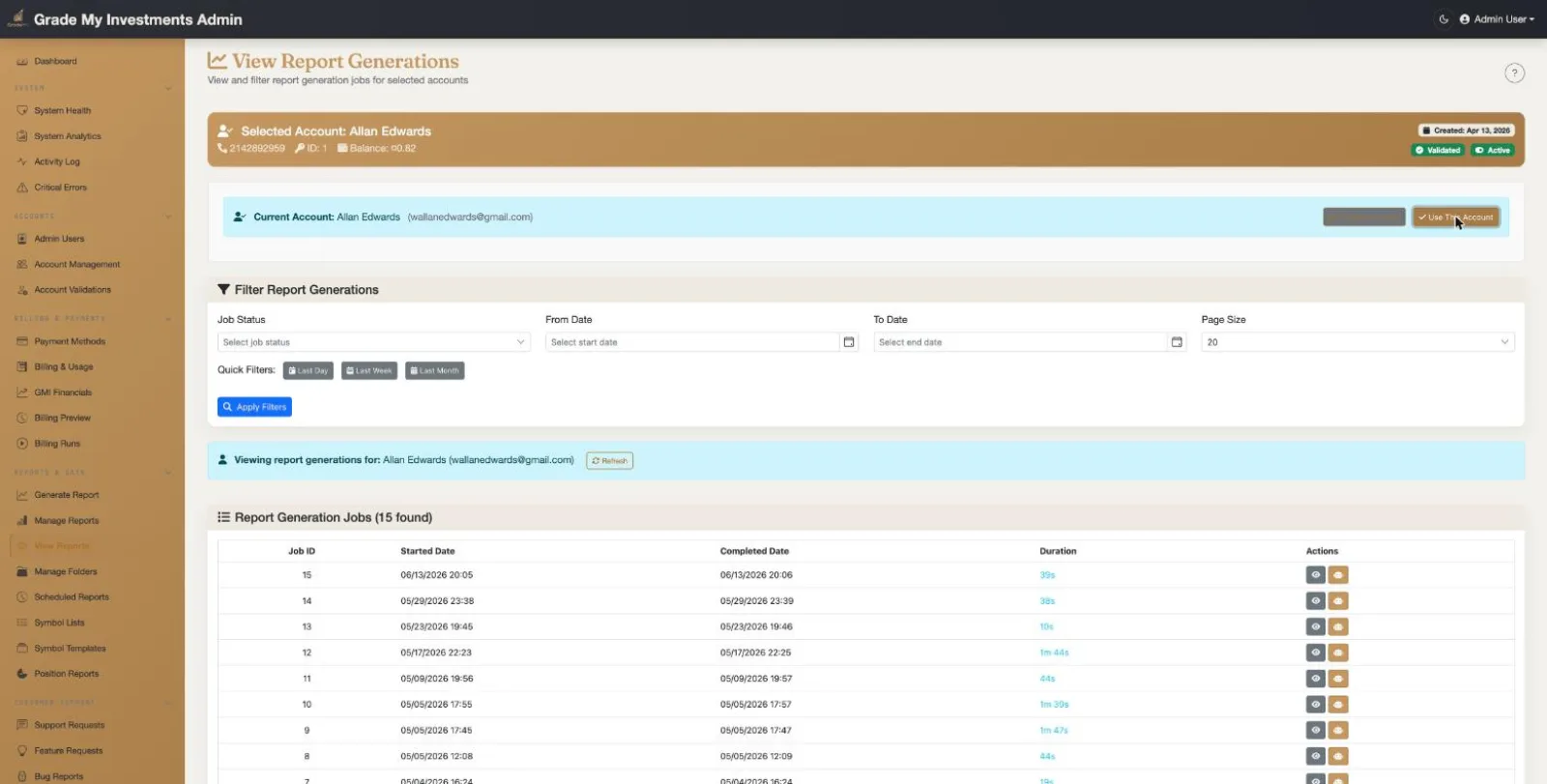
Report Generation Details View
Advanced filtering and detailed view of report generation jobs:
- Advanced Filtering: Filter by job status, date range (From/To), and page size with quick filter buttons (Last Day, Last Week, Last Month)
- Account Context: View report generations for a specific account with account info banner
- Job Details Table: Job ID, started date, completed date, and duration for each generation job
- Action Buttons: Quick access to view job output and download report files
AI Report Dashboard
AI-Powered Report Dashboard with Financial Deep-Dive
Multi-level interactive dashboard for exploring completed report data with AI and ML insights:
- Portfolio Overview (Level 1): KPI cards showing symbols analyzed, total market cap, average P/E ratio, and analyst buy rating percentage across the entire report
- ML Forecast KPIs: Average ML health score, total anomalies detected, and ML buy/strong-buy signal count with gradient-styled cards
- Symbol Detail (Level 2): Company profile with current price, market cap, P/E ratio, dividend yield, and drill-down cards for each financial data category
- Financial Deep-Dive (Level 3): Tabbed financial statement explorer with Income Statement, Balance Sheet, Cash Flow, Key Metrics, Analyst Data (recommendations and price targets), and ML Forecasts
- ML Forecasts Tab: Health score with letter grade, ML signal recommendation, anomaly count, 4-quarter forecasts for revenue/debt/cash flow/equity with confidence intervals, and sentiment forecast with risk levels
- Price History: Recent price table with open, high, low, close, and volume data
- Breadcrumb Navigation: Multi-level breadcrumb for navigating between dashboard, symbol detail, and financial deep-dive levels
Manage Folders
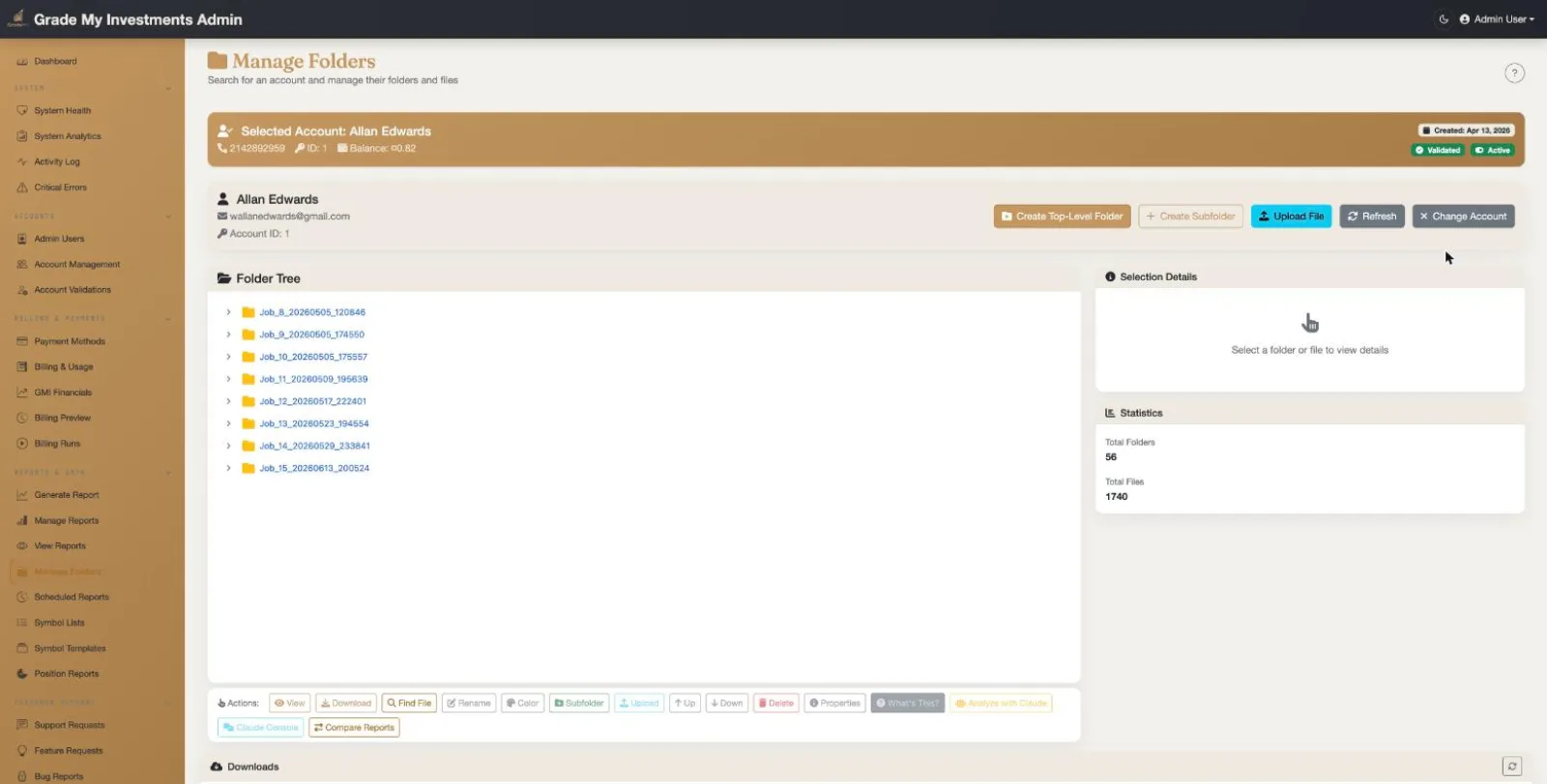
Folder Management
Full folder and file management for customer accounts:
- Folder Tree: Expandable hierarchical folder tree showing report job folders with color-coded files (Excel, HTML, JSON, analysis reports)
- Selection Details: Side panel showing details and statistics for the selected folder or file
- File Toolbar: Action buttons for copy, create, rename, move, delete, download, analyze, and more
- Downloads & Analysis: Dedicated sections for managing ZIP downloads and viewing Claude AI analysis jobs with status tracking
Billing & Usage
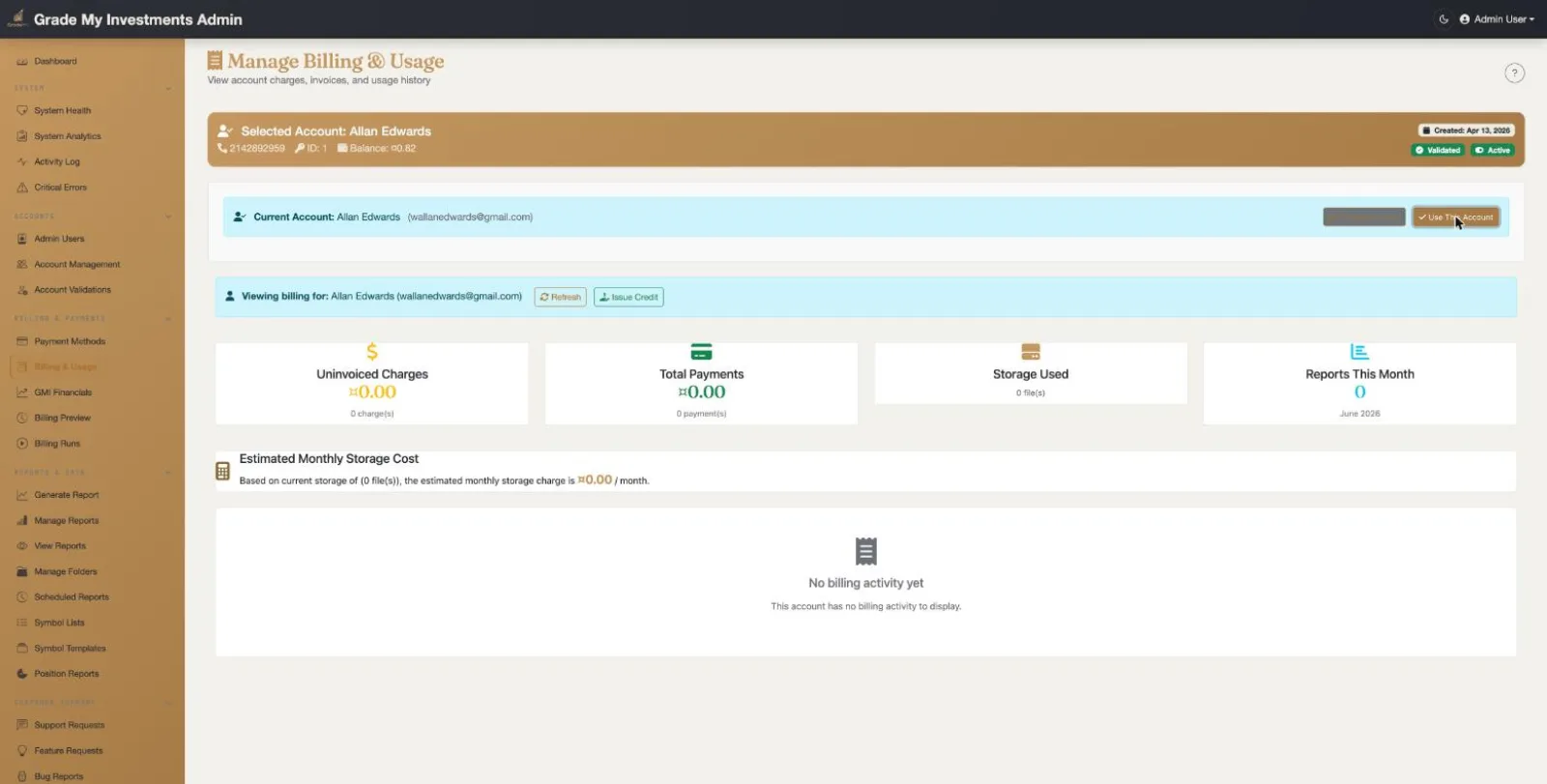
Billing & Usage Administration
Comprehensive billing and usage management:
- Charge Management: View and manage charges, credits, and billing across accounts
- Usage Analytics: Detailed usage statistics and trends per account
- Invoice Management: Generate, view, and manage monthly invoices
- Payment Processing: Track payments and reconcile billing issues
Grade My Investments Financials
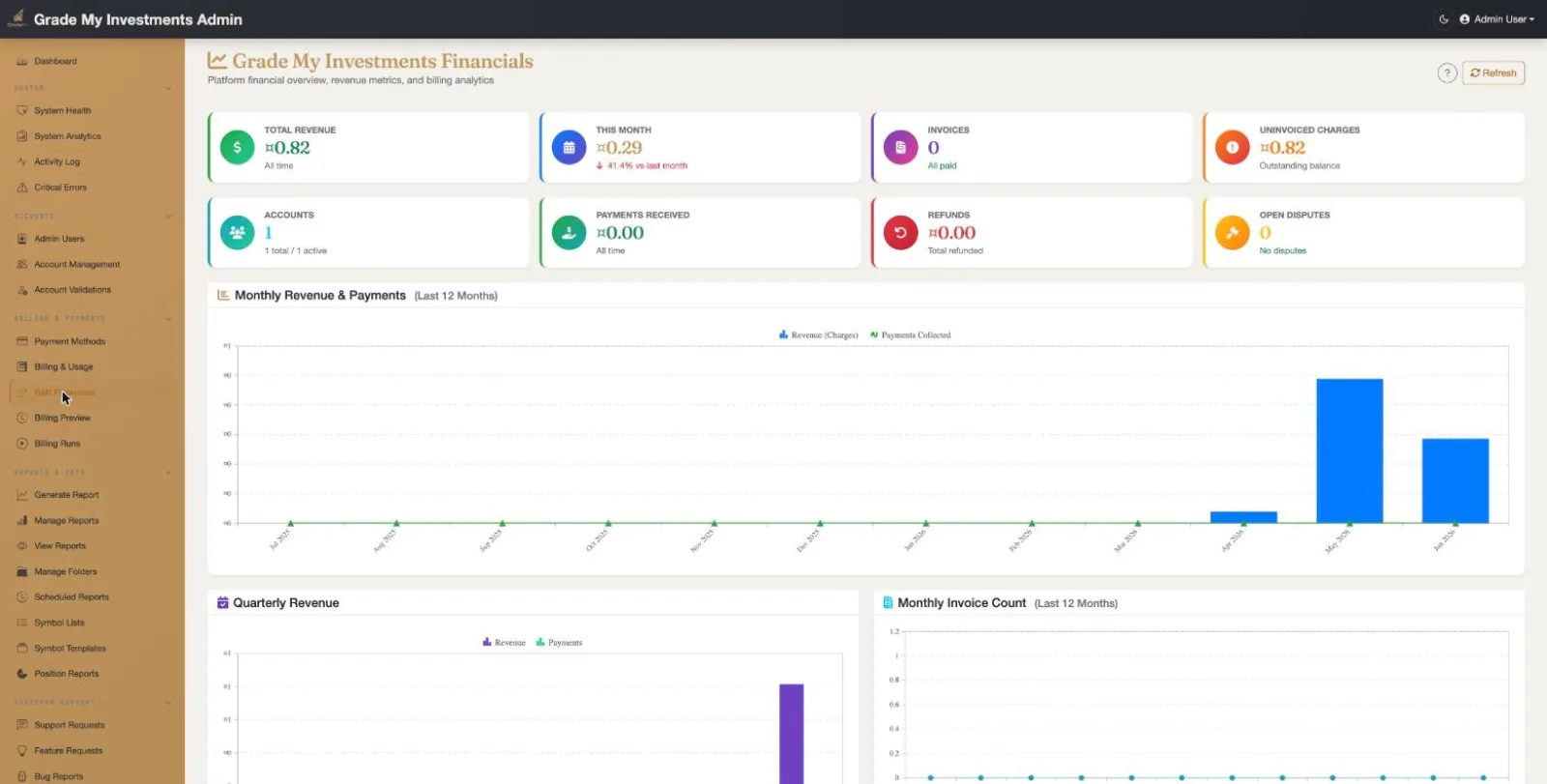
Platform Financial Overview
Comprehensive financial dashboard with charts, metrics, and trend analysis:
- Key Financial Metrics: Total charges, uninvoiced charges, total payments, unpaid invoices, and active accounts displayed in color-coded summary cards
- Revenue Charts: Monthly revenue and payments line chart, quarterly revenue bar chart, monthly storage usage trend, and monthly invoice chart
- Report Volumes: Monthly report generation counts and net revenue (revenue minus payments) visualized over time
- Finance Details: Recent billing runs table, monthly progress breakdown with reports/charges/invoices per month, and overall task overview
Admin Notification Emails
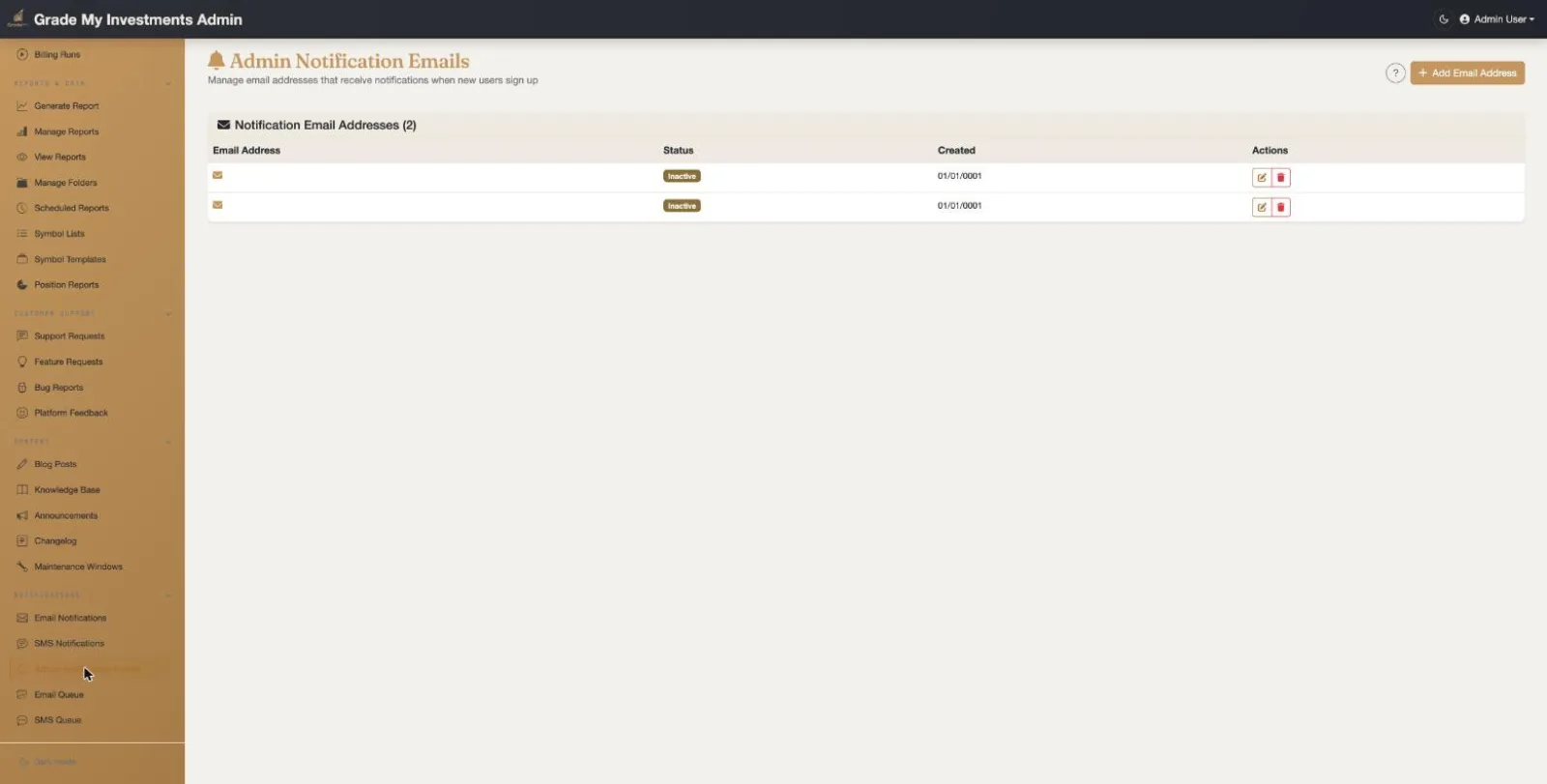
Admin Notification Email Configuration
Configure which admin email addresses receive system notifications:
- Email Addresses: Manage the list of admin emails that receive system alerts
- Notification Types: System errors, account registrations, billing events
- Critical Alerts: Ensure admin team is notified of important system events
Email Queue
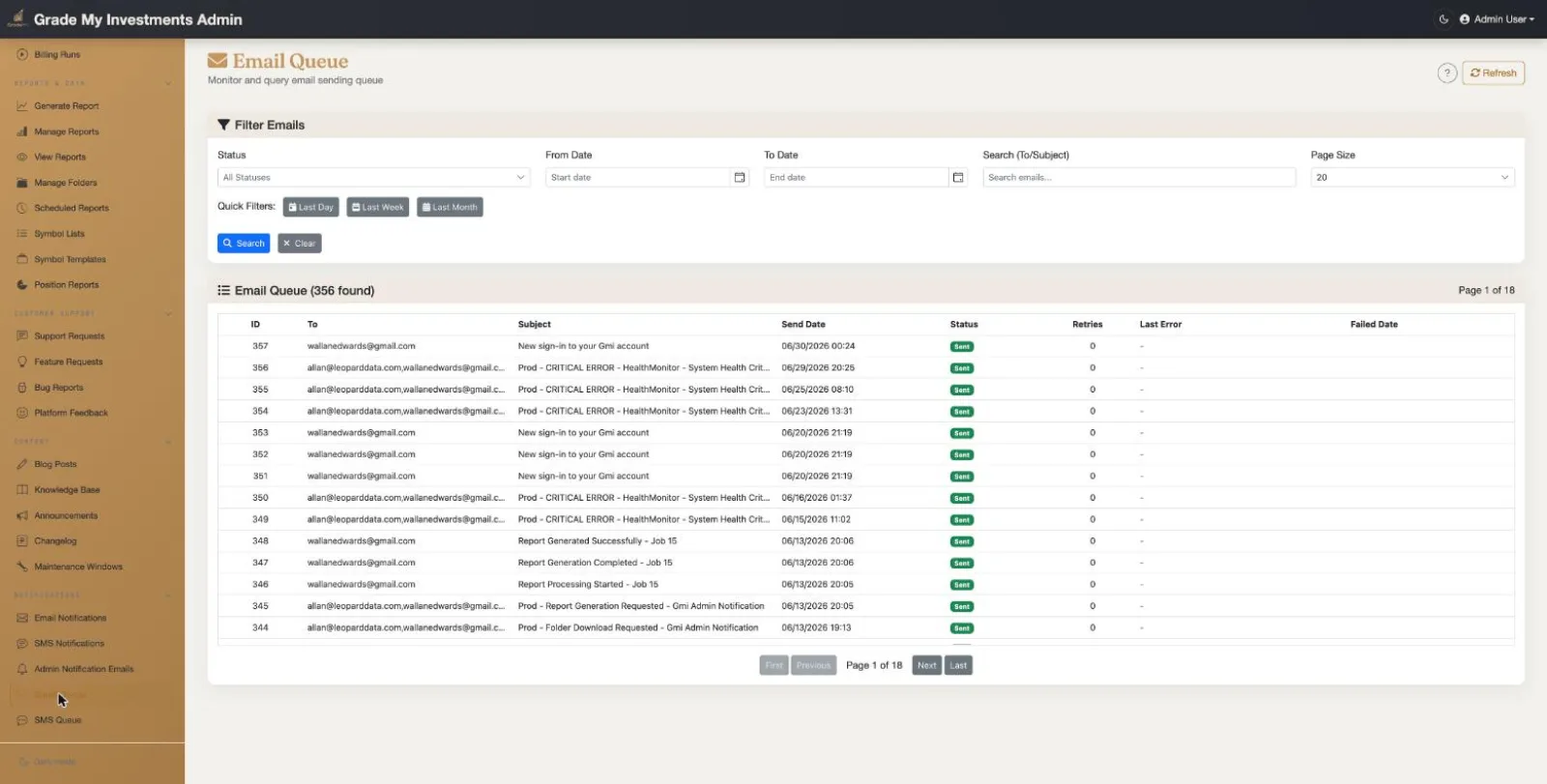
Email Queue Monitoring
Monitor the outbound email processing queue:
- Queue Status: View pending, sent, and failed emails in the queue
- Delivery Tracking: Track SendGrid delivery status for each email
- Error Handling: Identify and retry failed email deliveries
- Queue Health: Monitor queue depth for processing bottlenecks
SMS Queue
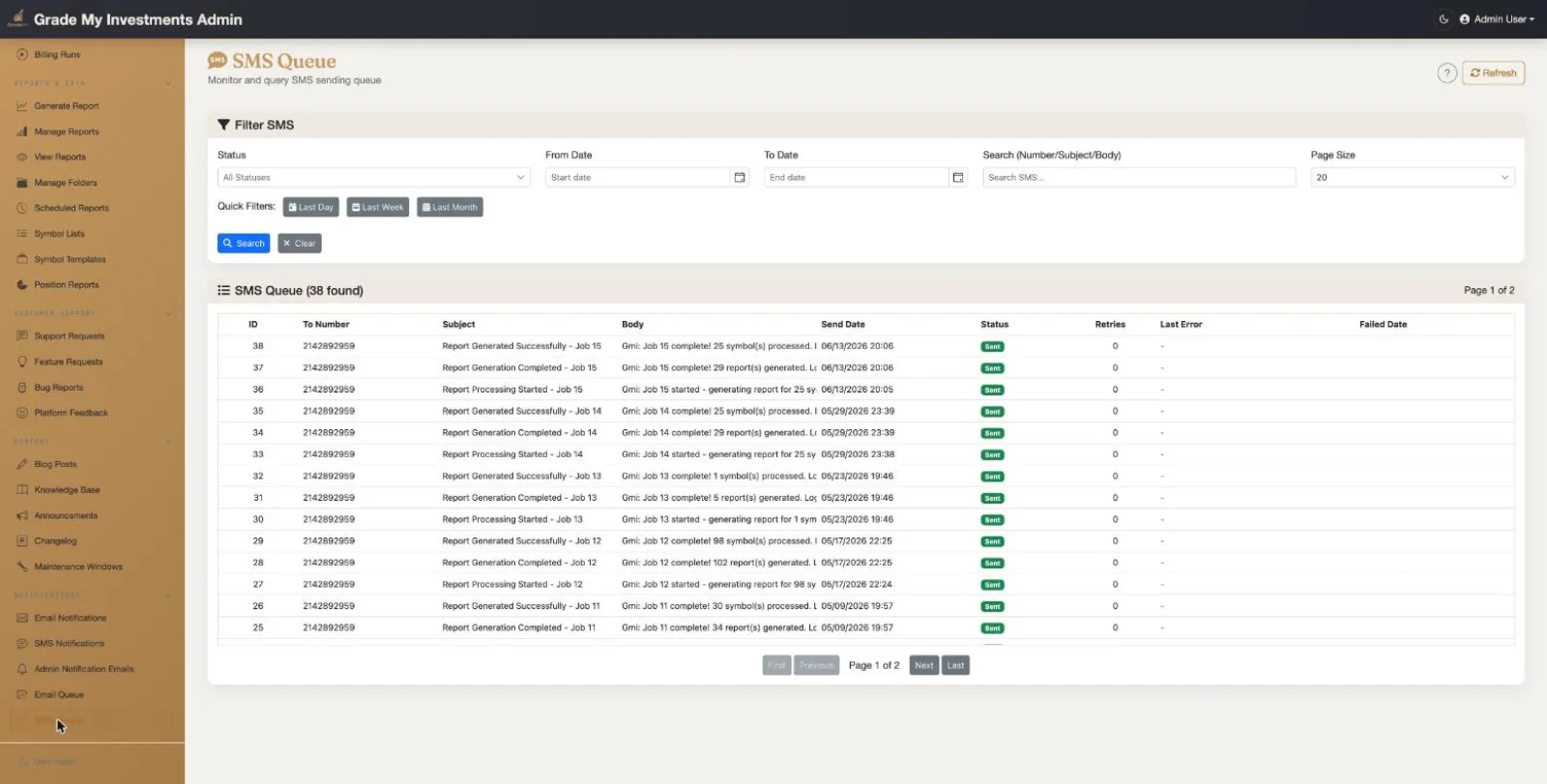
SMS Queue Monitoring
Monitor the outbound SMS processing queue:
- Queue Status: View pending, sent, and failed SMS messages
- Twilio Delivery: Track SMS delivery status via Twilio
- Error Handling: Identify and retry failed SMS deliveries
- Queue Health: Monitor SMS queue depth and processing rates
System Health
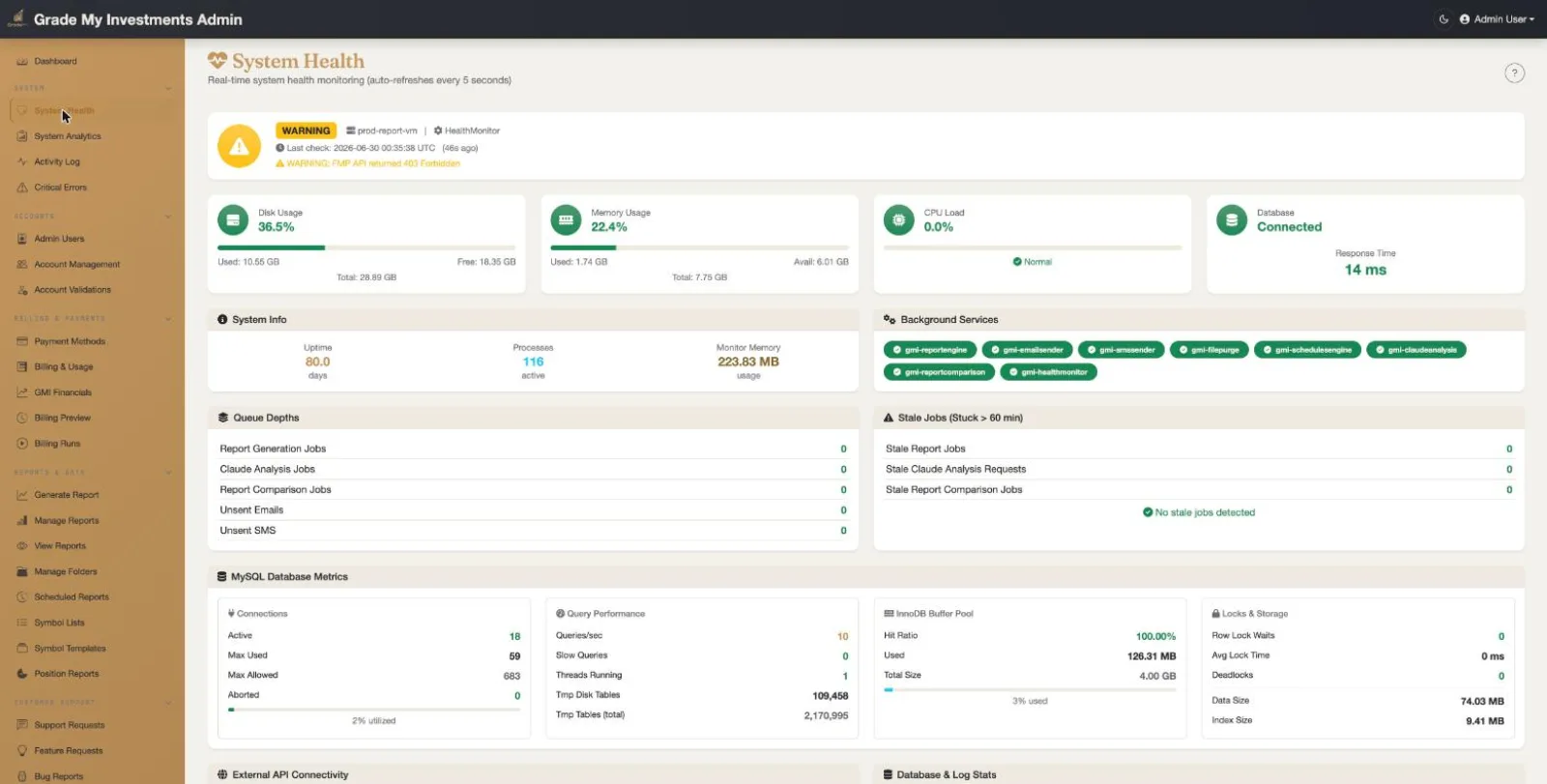
Real-Time System Health Monitoring
Comprehensive system health dashboard with auto-refresh every 3 seconds:
- Server Metrics: Disk usage, memory usage, CPU load, and database connectivity displayed as circular gauges with color-coded thresholds and response times
- System Info: Uptime, kernel version, and available memory at a glance
- Background Services: Color-coded status badges for all systemd services (report engine, email sender, health monitor, billing engine, schedules engine, etc.)
- Queue Depths: Pending report jobs, Claude analysis jobs, unsent emails/SMS, and stale job detection with alert thresholds
- External API Connectivity: Real-time status for FMP, Anthropic Claude AI, SendGrid, and Azure Blob Storage with response time measurements
- Database & Log Stats: Table row counts for jobs, files, and events plus total log file size
- Health Check History: Scrollable history table showing disk, memory, CPU, DB response, and machine for each check interval
Activity Log
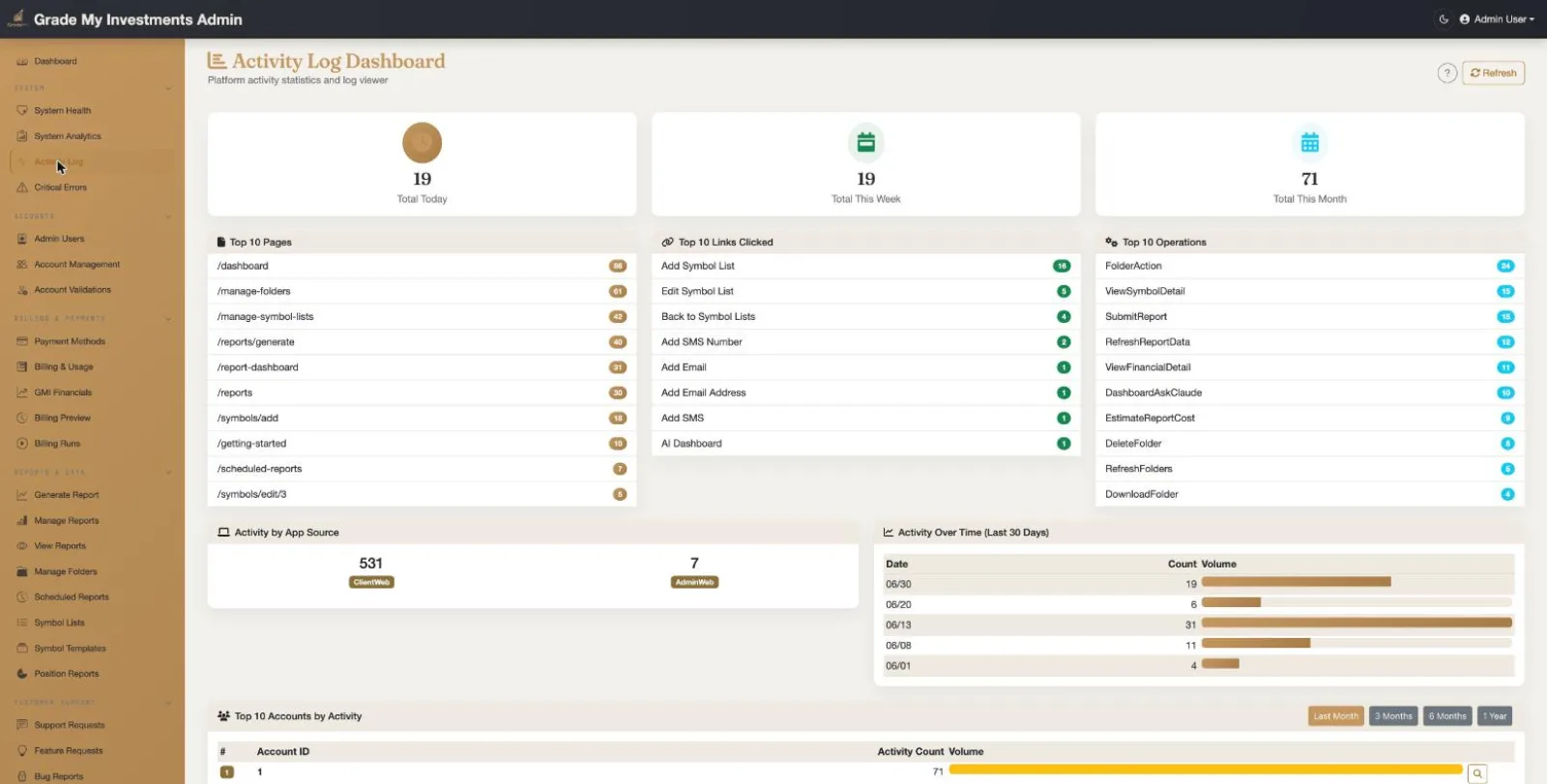
Activity Log Dashboard
Full analytics dashboard for platform activity tracking:
- Activity Summary: Total activity counts for today, this week, and this month displayed in summary cards
- Top Analytics: Top 10 pages visited, top 10 links clicked, and top 10 operations performed with visual indicators
- Activity by App Source: Breakdown of activity between Admin Web and Client Web applications
- Activity Over Time: Chart showing activity volume trends over the last 30 days with count visualization
- Top Accounts: Ranked accounts by activity volume with bar chart display
- Query Activity Log: Advanced filtering by account ID, activity type, app source, date range, and keyword search
- Activity Log Table: Paginated table with ID, Account ID, Type, Name, Email, Details, Timestamp, and App Source columns
Critical Errors Dashboard
Critical Error Monitoring & Resolution
Dedicated dashboard for monitoring and resolving critical system errors across all backend services:
- KPI Cards: Unresolved error count (color-coded red/green), errors today, errors this week, and errors this month with visual indicators
- Errors by Service: Breakdown of error counts by originating backend service with clickable filter links
- Errors by Type: Breakdown of error counts by error classification with clickable filter links
- Advanced Query Filters: Filter by service name, error type, status (all/resolved/unresolved), date range, page size, and free-text search across error messages and context
- Error Resolution: Resolve individual errors with notes, track resolution status across the team
- Syncfusion Grid: Paginated, sortable error log table with full error details
Access Control
- Azure AD authentication
- Role-based access (Admin, Support)
- Idle timeout protection
- Audit trail logging
Page Count
- 50 admin pages total
- 4 user/account pages
- 5 report pages
- 6 symbol/template/position pages
- 2 billing pages
- 3 notification pages
- 2 queue pages
- 3 monitoring pages
- 1 folder management page
- 2 knowledge base pages
- 2 blog management pages
- 2 announcement pages
- 2 changelog pages
- 2 maintenance window pages
- 4 support/feedback pages
- 6 customer communication pages
Technology Stack
- Blazor Server (.NET 10)
- Syncfusion Blazor UI Components
- Bootstrap 5
- Font Awesome Icons
- Azure AD Authentication
- SignalR (real-time updates)
- REST API integration
- JS Interop (file download, Stripe, idle timeout, timezone)
Shared Components
- PageHelpButton (contextual help modals)
- AccountSearchComponent (cross-page account search)
- SelectedAccountDisplayComponent (account context banner)
- IdleTimeoutProvider (session timeout with warning)
- PrivateLayout / PublicLayout (authenticated vs public)
- NavMenu (22-item sidebar navigation)
Integrations
- Azure AD (authentication)
- Stripe (payments)
- SendGrid (email)
- Twilio (SMS)
- Azure Blob Storage (files)
- Azure Key Vault (secrets)
- FMP API (financial data & symbol validation)
- Anthropic Claude AI (report analysis)
Data Management
- Soft delete patterns
- File purge automation
- Audit log tracking
- Activity log tracking
- Health check history
- Critical error log with resolution tracking