
MAUI Cross-Platform Application
Full-featured Grade My Investments client for Android, iOS, and macOS (via Catalyst) with complete feature parity to the web application.
flowchart TB
    subgraph PLATFORMS[Target Platforms]
        P1([Android 5.0 plus]):::ext
        P2([iOS 12.2 plus]):::ext
        P3([macOS 15 Catalyst]):::ext
    end
    subgraph UI[Presentation - 52 XAML Views]
        V1[Dashboard]:::app
        V2[Generate Report]:::app
        V3[Report Dashboard]:::app
        V4[File Browser TreeView]:::app
        V5[Symbol Lists]:::app
        V6[Account - Billing]:::app
    end
    subgraph SVC[Service Layer]
        S1[GoogleAuthService]:::svc
        S2[SessionService]:::svc
        S3[StripeService]:::svc
        S4[GuidedTourService]:::svc
        S5[CertificatePinning]:::sec
    end
    subgraph LIB[Shared Libraries]
        L1[(Gmi.RestClient)]:::data
        L2[(Gmi.ClassLibrary)]:::data
    end
    PLATFORMS --> UI
    UI --> SVC
    SVC --> LIB
    LIB --> API[(GMI REST API)]:::data
    classDef app fill:#1f2630,stroke:#C0894E,color:#F3EFE8;
    classDef svc fill:#241c14,stroke:#E2B583,color:#F3EFE8;
    classDef data fill:#22201a,stroke:#C0894E,color:#EBD3AE;
    classDef ext fill:#1b1f27,stroke:#5A616B,color:#C4C0B8;
classDef sec fill:#1d2733,stroke:#5cc8e0,color:#eafaff;Gmi.Maui.Mobile
The MAUI application provides complete feature parity with the Client Web App, delivering the full Grade My Investments experience across all platforms with 68 views (67 XAML pages plus one code-only page):
Core Investment Features
- Dashboard with real-time analytics and the guided first report card
- Watchlist Dashboard and Stock Screener (More tab)
- Recurring Reports: list, editor with cost estimate and consent, run history
- Earnings Setup from any Earnings Lab card, including GMI's Read drawn natively
- Investor Legends and Smart Lists (More tab)
- Alerts: home, consent, event picker and delivery history (push notifications not built)
- Compare to Benchmark on position reports
- Generate comprehensive stock reports
- Report Dashboard with symbol & financial detail views
- Share reports publicly — link or card image via the native share sheet
- My Shared Reports: viewer counts and one-tap revoke
- Symbol list management with templates
- Browse and organize report files (TreeView)
- Position reports with upload and viewing
- PDF viewer and HTML viewer for report files
Account & Settings
- Email notification management
- SMS notification settings
- Account configuration
- Payment method management (Stripe)
- Billing & usage tracking
- Getting Started carousel (from More; no longer forced)
- Claude AI file analysis with cost estimate
- Guided tour with Syncfusion SfPopup (replay only); first-report callouts as an in-page card
100% Feature Parity: Every feature available in the Client Web App is fully implemented in the MAUI application, ensuring a consistent experience across all devices.
Multi-Platform Distribution
- Android 5.0+ (API 21)
- Google Play Store
- Material Design
- Google OAuth sign-in
- Native performance
- iOS 12.2+
- App Store
- Human Interface Guidelines
- Google OAuth sign-in
- Native iOS features
- macOS 15.0+
- Mac App Store
- Apple Silicon native
- Google OAuth sign-in
- Desktop experience
Key Features (Same as Client Web)
Dashboard
Quick stats, card expiration warnings, and action buttons with guided tour
Generate Reports
Create comprehensive stock analysis reports with symbol list selection
Symbol Lists & Templates
Create custom symbol lists, browse templates, and view symbol details
Report Dashboard
Interactive report viewer with symbol detail and financial detail pages
File Management
Browse folders with Syncfusion TreeView, view PDFs and HTML reports inline
Notifications
Configure email and SMS alerts for report completion
Account & Billing
Manage Stripe payment methods and view billing and usage data
Position Reports
Upload, view, and manage portfolio position reports
Claude AI Analysis
Analyze files with Claude AI for financial insights, with cost estimate before confirming
Mobile App Screenshots
Live captures from the iOS build (iPhone 17 Pro, August 2026) running against production, in the app's dark gold-on-charcoal theme:
Core Experience
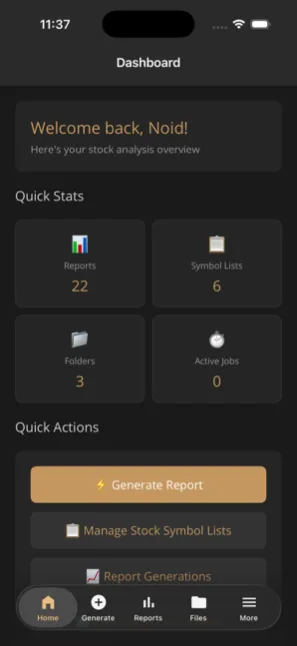 Dashboard — quick stats & actions
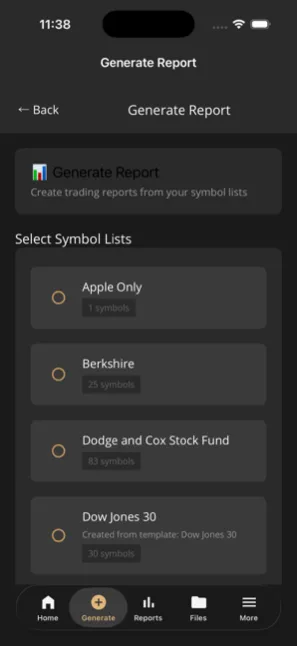 Generate Report — pick symbol lists
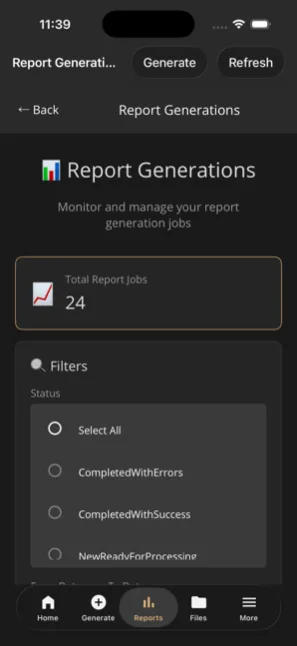 Report Generations — job monitor
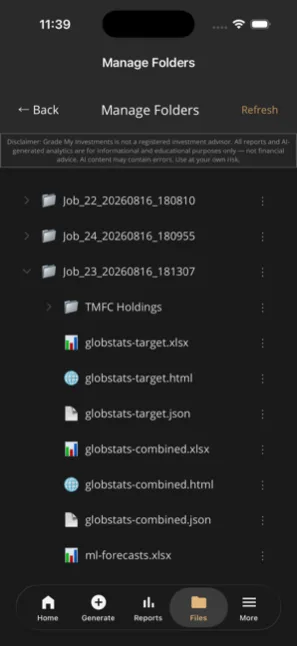 Files — every report deliverable
AI Report Dashboard
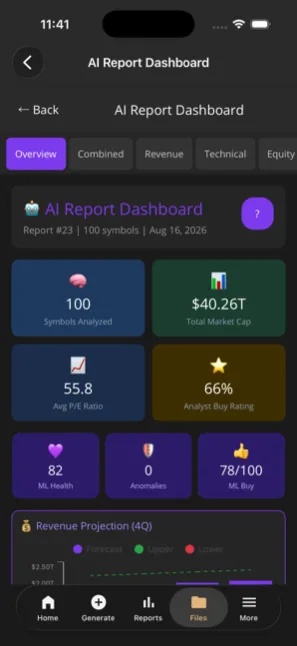 Overview — 100 symbols, ML scores
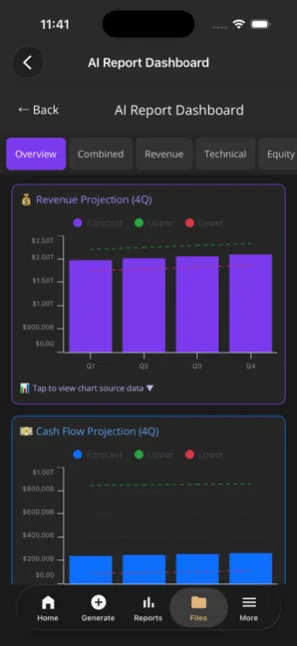 Revenue projection with confidence bands
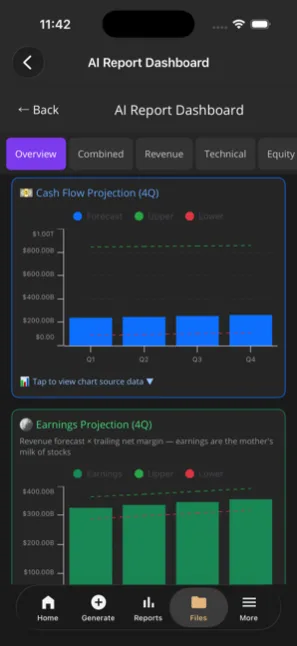 Cash flow & earnings projections
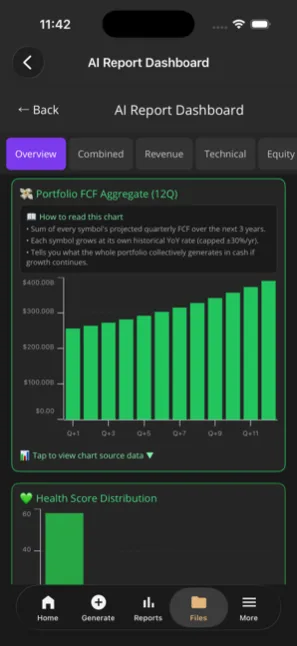 Portfolio FCF aggregate (12Q)
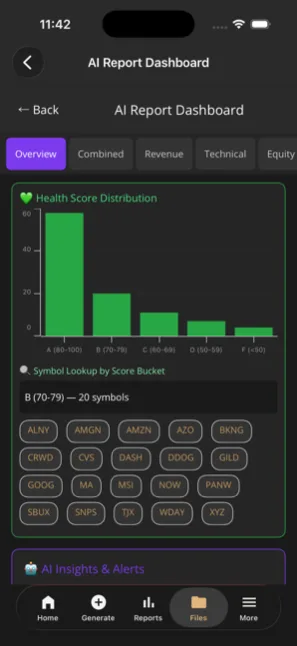 Health scores graded A–F
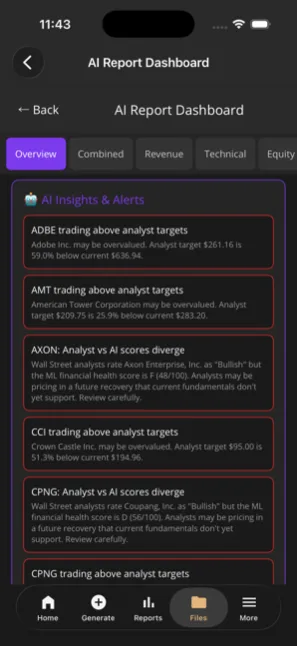 AI Insights — analyst vs AI divergence
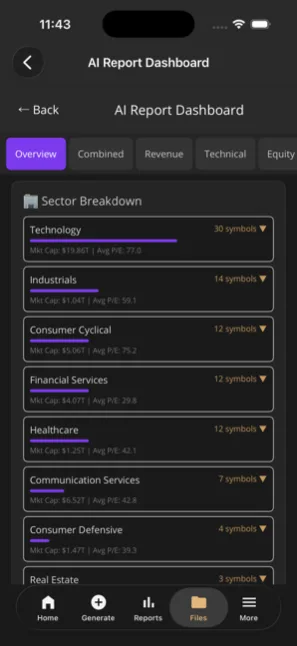 Sector breakdown
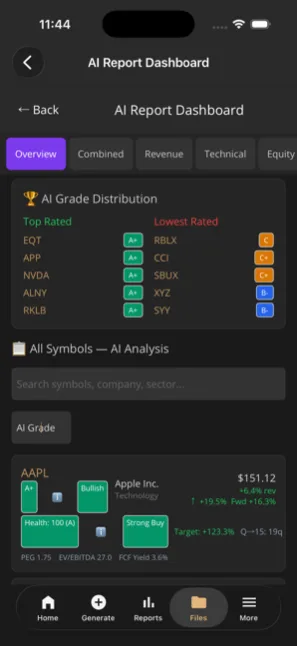 AI grades — top & lowest rated
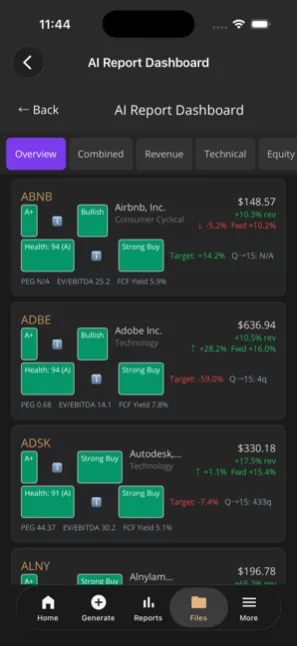 Per-symbol AI analysis cards
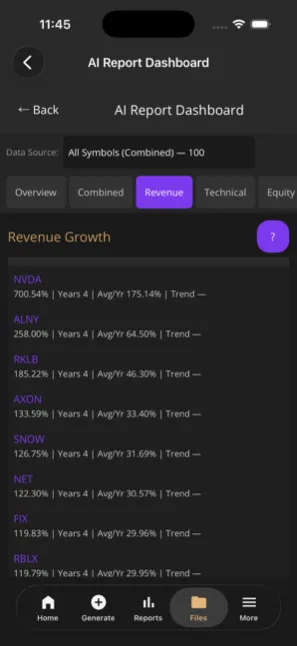 Revenue growth leaderboard
Account & Tools
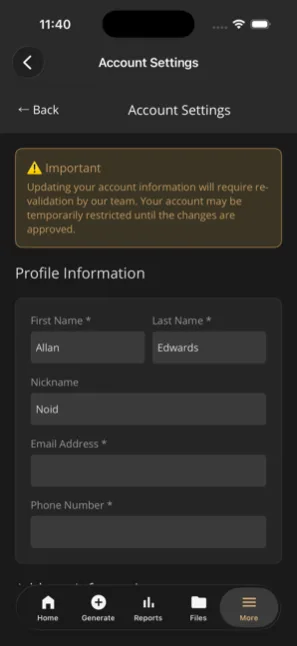 Account settings
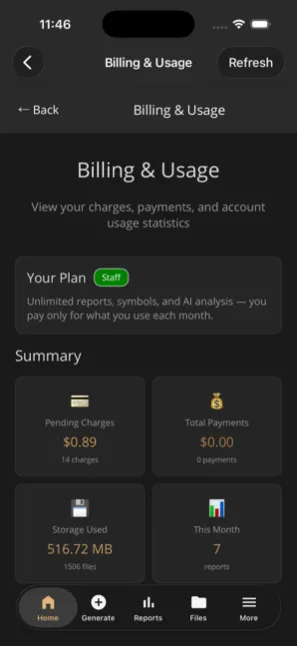 Billing & usage with plan panel
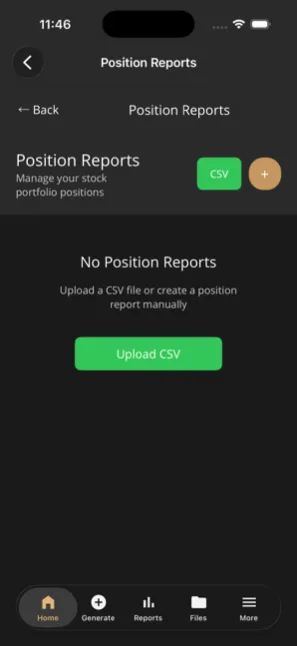 Position reports — CSV upload
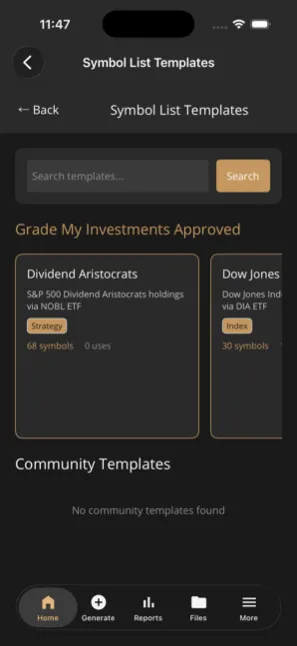 Curated symbol list templates
Technical Architecture
Development Stack
- .NET 10 MAUI
- XAML / C# (51 Views)
- Shell Navigation
- CommunityToolkit.Maui
- Dark Theme (#1a1a1a) + Gold (#C4975F)
NuGet Packages
- Microsoft.Maui.Controls 10.0
- Microsoft.Extensions.Http
- System.Text.Json
- Stripe.net
- Syncfusion.Maui.TreeView
- Syncfusion.Maui.PdfViewer
- Syncfusion.Maui.Popup
- CommunityToolkit.Maui
Platform Features
- Google OAuth sign-in
- Inline PDF viewing
- Inline HTML report viewing
- Syncfusion TreeView file browser
- Claude AI file analysis with cost estimate
- Guided onboarding tour (SfPopup)
Security Features
- Google OAuth authentication
- Secure token storage
- JWT token management
- HTTPS API communication
- PCI-compliant Stripe integration
- Certificate pinning (SPKI hashes)
- 60-minute idle timeout auto-logout
Performance
- Fast startup time
- Low memory usage
- Battery optimized
- Background sync
- Native performance
Distribution Channels
- Google Play Store (Android)
- Apple App Store (iOS)
- Mac App Store (Catalyst)
- Direct download (APK)
Shared Class Libraries
- Gmi.RestClient
- Gmi.ClassLibrary
- Gmi.RestClient.FinancialDataProvider