
Source Control Management
Grade My Investments' trunk-based development approach using a single Azure DevOps Git monorepo for streamlined development and production releases across all 39 .NET projects.
flowchart TB
    DEV[Developer<br/>local commit]:::app

    subgraph MONO[Azure DevOps Monorepo<br/>39 .NET projects]
        FB[Feature Branch<br/>created from develop]:::svc
        PR_D[Pull Request<br/>to develop]:::svc
        DEV_BR[develop branch<br/>integration - staging]:::data
        PR_M[Pull Request<br/>to master]:::svc
        MASTER[master branch<br/>production-ready]:::sec
    end

    subgraph CI[Automated Gates]
        BUILD[Build Validation<br/>compile - unit tests]:::ext
        REV[Code Review<br/>approval required]:::ext
    end

    subgraph DEPLOY[Deployment]
        STG[Staging Env<br/>auto deploy]:::data
        PROD[Production<br/>auto deploy]:::sec
    end

    DEV --> FB
    FB --> PR_D
    PR_D --> BUILD
    BUILD --> REV
    REV --> DEV_BR
    DEV_BR --> STG
    DEV_BR --> PR_M
    PR_M --> MASTER
    MASTER --> PROD

    classDef app fill:#1f2630,stroke:#C0894E,color:#F3EFE8;
    classDef svc fill:#241c14,stroke:#E2B583,color:#F3EFE8;
    classDef data fill:#22201a,stroke:#C0894E,color:#EBD3AE;
    classDef ext fill:#1b1f27,stroke:#5A616B,color:#C4C0B8;
    classDef sec fill:#1d2733,stroke:#5cc8e0,color:#eafaff;
Trunk-Based Development Strategy
Monorepo Architecture
Grade My Investments utilizes a single repository (monorepo) approach that contains all 39 .NET projects in one unified codebase:
Benefits
- Unified Versioning: All projects share the same version lifecycle
- Atomic Changes: Cross-project updates in single commits
- Shared Dependencies: Common libraries and packages centralized
- Simplified CI/CD: One pipeline for entire platform
Management
- Coordinated Releases: All components deploy together
- Cross-Project Refactoring: System-wide changes easily tracked
- Dependency Management: NuGet packages managed centrally
- Build Optimization: Incremental builds across projects
Branch Strategy
Master Branch
- Purpose: Production-ready code
- Stability: Always deployable
- Updates: Via develop branch merges only
- Protection: Direct commits blocked
- Deployment: Automatic to production environments
Develop Branch
- Purpose: Integration and staging
- Stability: Feature-complete builds
- Updates: Feature branches merge here first
- Testing: Comprehensive CI/CD validation
- Deployment: Staging and testing environments
Development Workflow
- Feature Branch Creation: Developers create feature branches from develop
- Development & Testing: Features developed and tested in isolation
- Pull Request to Develop: Code review and automated testing
- Integration Testing: Features tested together in develop branch
- Production Release: Develop merged to master for production deployment
Azure DevOps Git Repository
The following screenshot demonstrates Grade My Investments' Azure DevOps Git repository structure, showcasing our trunk-based development approach with master and develop branches:
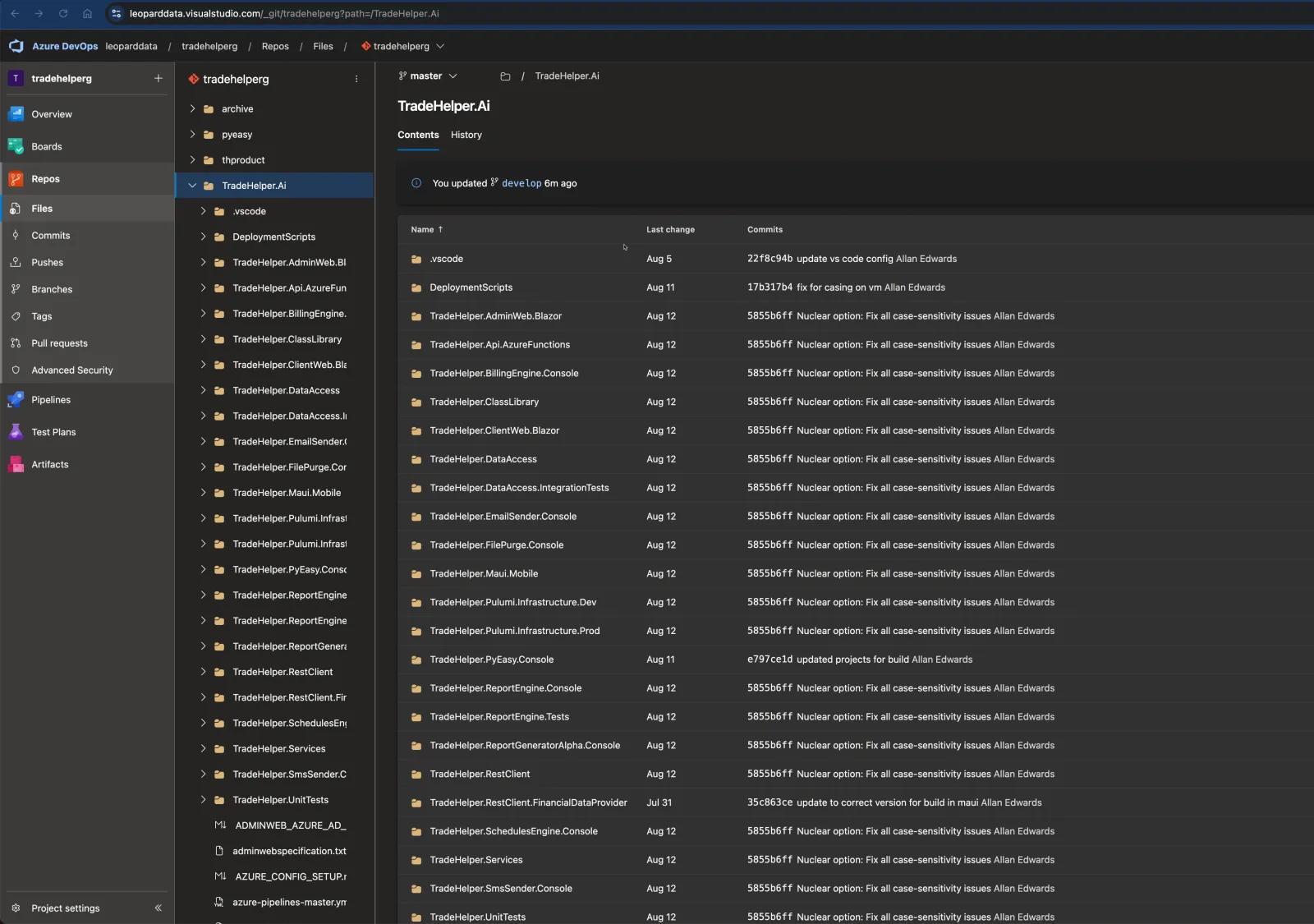
Repository Overview Analysis
This Azure DevOps interface showcases the Grade My Investments repository structure and development workflow:
Branch Structure
- Master Branch: Production-ready releases
- Develop Branch: Integration and staging
- Feature Branches: Individual development work
- Branch Protection: Pull request requirements enforced
Development Features
- Pull Requests: Code review and approval process
- Build Pipelines: Automated CI/CD integration
- Work Items: Azure DevOps work item tracking
- Security: Branch policies and permissions
Quality Assurance Process
- Automated Testing: Unit tests and integration tests run on every pull request
- Code Reviews: Mandatory peer review before merge to develop
- Build Validation: Successful builds required before branch merges
- Staging Deployment: Develop branch automatically deploys to staging environment
- Production Gates: Manual approval required for master branch deployments
Branching Model Visualization
Flow Description
- Green Flow: Feature branches → Develop → Master
- Blue Flow: Continuous integration and testing
- Red Flow: Production releases and hotfixes
GitKraken Visual Repository Management
GitKraken provides an intuitive visual interface for managing Grade My Investments' complex repository structure, making branch management and merge operations seamless across all 39 .NET projects:
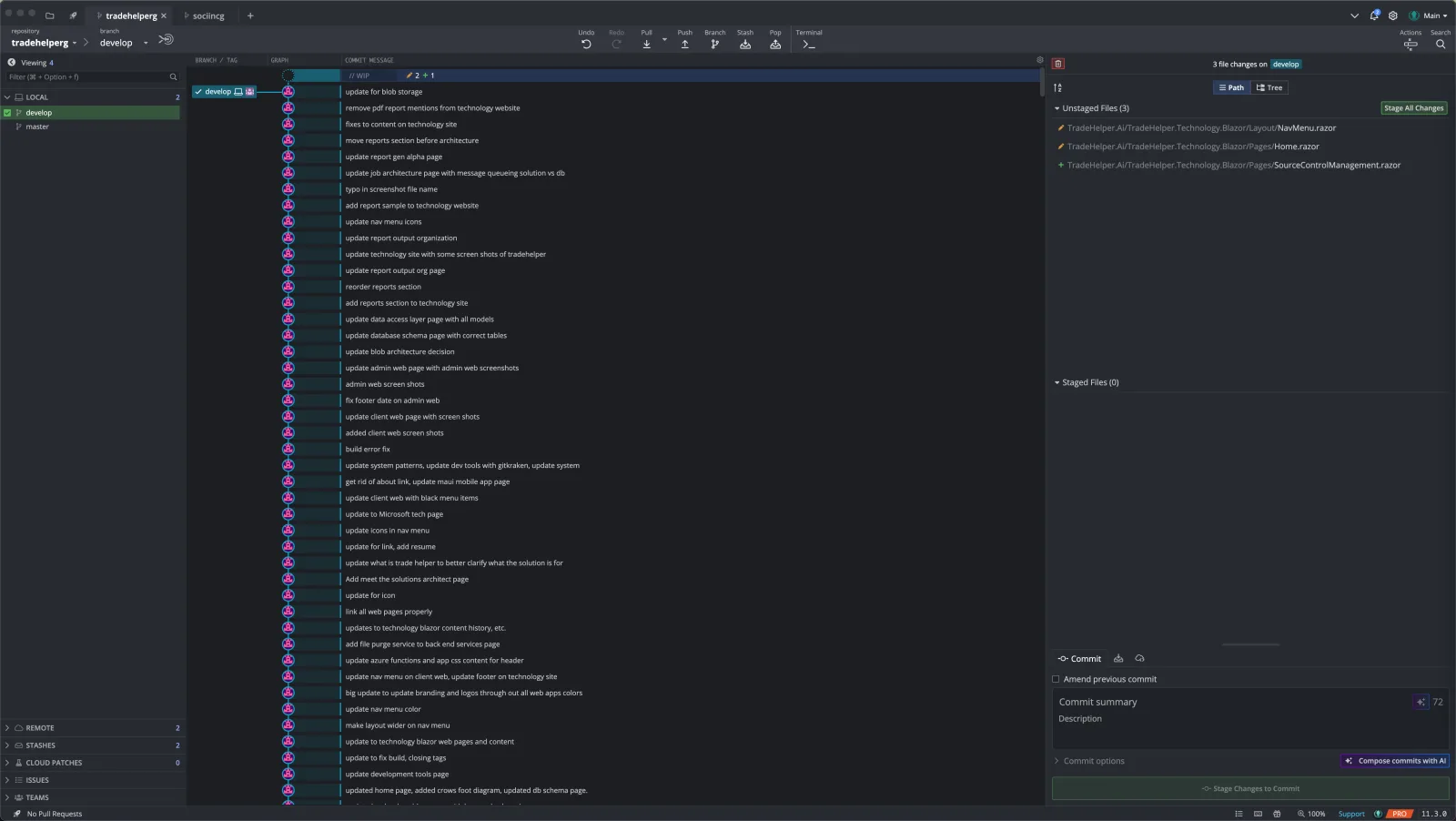
GitKraken Interface Analysis
This GitKraken screenshot demonstrates the visual repository management capabilities for Grade My Investments' monorepo:
Visual Branch Management
- Branch Visualization: Clear graphical representation of master and develop branches
- Commit History: Timeline view of all commits and merges
- Merge Tracking: Visual indicators for merge points and conflicts
- Branch Relationships: Easy identification of feature branch origins
Development Workflow Features
- Pull Request Integration: Direct integration with Azure DevOps pull requests
- Conflict Resolution: Built-in merge conflict resolution tools
- File Staging: Visual file staging and commit preparation
- Remote Sync: Easy push/pull operations with Azure DevOps
Monorepo Management Benefits
- Project Overview: Visual representation of all 39 .NET projects in single view
- Cross-Project Changes: Easy tracking of commits affecting multiple projects
- Dependency Tracking: Visual identification of shared library updates
- Release Coordination: Clear visualization of release branch merges
- Developer Productivity: Intuitive interface reduces Git command-line complexity
Visual Clarity
Graphical representation of complex branch relationshipsConflict Resolution
Built-in tools for merge conflict managementEnhanced Productivity
Streamlined Git operations for development teamDevelopment Tools Integration
Azure DevOps Features
- Git version control
- Pull request workflows
- Branch policies and protection
- Automated build pipelines
- Work item integration
- Code review tools
Development Benefits
- Rapid feature development
- Stable production releases
- Reduced merge conflicts
- Continuous integration
- Automated quality gates
- Streamlined deployments
Repository Statistics
- Projects: 39 .NET projects
- Repositories: 1 monorepo
- Primary Branches: 2 (master, develop)
- Contributors: Active development team
- Platform: Azure DevOps Git
Branch Policies
- Pull request required
- Build validation
- Code review approval
- Work item linking
- Comment resolution
- Up-to-date branches
Release Cadence
- Feature Releases: Weekly to develop
- Production Releases: Bi-weekly to master
- Hotfixes: As needed
- Version Strategy: Semantic versioning
Monorepo Benefits
Single repository strategy provides:
- Unified versioning
- Shared dependencies
- Coordinated releases
- Cross-project refactoring
- Simplified CI/CD
- Atomic changes