
CI/CD Process
Azure DevOps pipelines providing automated testing, building, and deployment.
flowchart LR
    subgraph TRIGGER[Triggers]
        PUSH[Push to<br/>master]:::app
        PR[Pull Request]:::app
        SCHED[Scheduled Build]:::ext
    end

    subgraph BUILD[Build Stage]
        COMPILE[Compile .NET<br/>39 projects]:::svc
        UNIT[Unit Tests<br/>90 pct coverage]:::svc
        ARTIFACT[Create<br/>Artifacts]:::svc
    end

    subgraph DEPLOY_PROD[Deploy to Production]
        SLOT_P[Blue-Green<br/>Slot Swap]:::sec
        SMOKE_P[Smoke Tests]:::sec
        VM[Console Apps<br/>Linux VM - 12 systemd<br/>units restarted]:::sec
    end

    TRIGGER --> COMPILE
    COMPILE --> UNIT
    UNIT --> ARTIFACT
    ARTIFACT --> SLOT_P
    SLOT_P --> SMOKE_P
    SLOT_P --> VM

    classDef app fill:#1f2630,stroke:#C0894E,color:#F3EFE8;
    classDef svc fill:#241c14,stroke:#E2B583,color:#F3EFE8;
    classDef data fill:#22201a,stroke:#C0894E,color:#EBD3AE;
    classDef ext fill:#1b1f27,stroke:#5A616B,color:#C4C0B8;
    classDef sec fill:#1d2733,stroke:#5cc8e0,color:#eafaff;
Pipeline Overview
The Grade My Investments platform uses a comprehensive CI/CD pipeline with multiple stages:
Build Stage
Compiles all .NET projects, runs unit tests, and creates deployment artifacts
Test Stage
Executes comprehensive test suites including unit, integration, and UI tests
Deploy to Production
Controlled release to production with blue-green deployment strategy
Pipeline Components
| Component | Technology | Deployment Target | Strategy |
|---|---|---|---|
| Client Web App | Blazor WebAssembly | Azure App Service | Staging slots |
| Admin Web App | Blazor WebAssembly | Azure App Service | Staging slots |
| Technology Web App | Static-prerendered SSR | Azure App Service | Staging slots |
| Azure Functions | .NET 10 Isolated | Function App | Blue-green |
| Console Apps | .NET 10 | Linux VM | Direct deployment |
Quality Gates
Automated Testing
- Unit Tests (90%+ coverage)
- Integration Tests
- API Contract Tests
- Security Scans
Code Quality
- Code review required
- Static analysis
- Vulnerability scanning
- Performance testing
Deployment Features
Blue-Green
Zero-downtime deployments with instant rollback capability
Staging Slots
Pre-production validation with traffic warming
Health Checks
Automated smoke tests and service validation
Azure DevOps Pipeline Runs
The Grade My Investments CI/CD pipeline runs continuously throughout the day, processing code changes and deployments. Below is a snapshot of recent pipeline executions showing the automated build and deployment process in action:
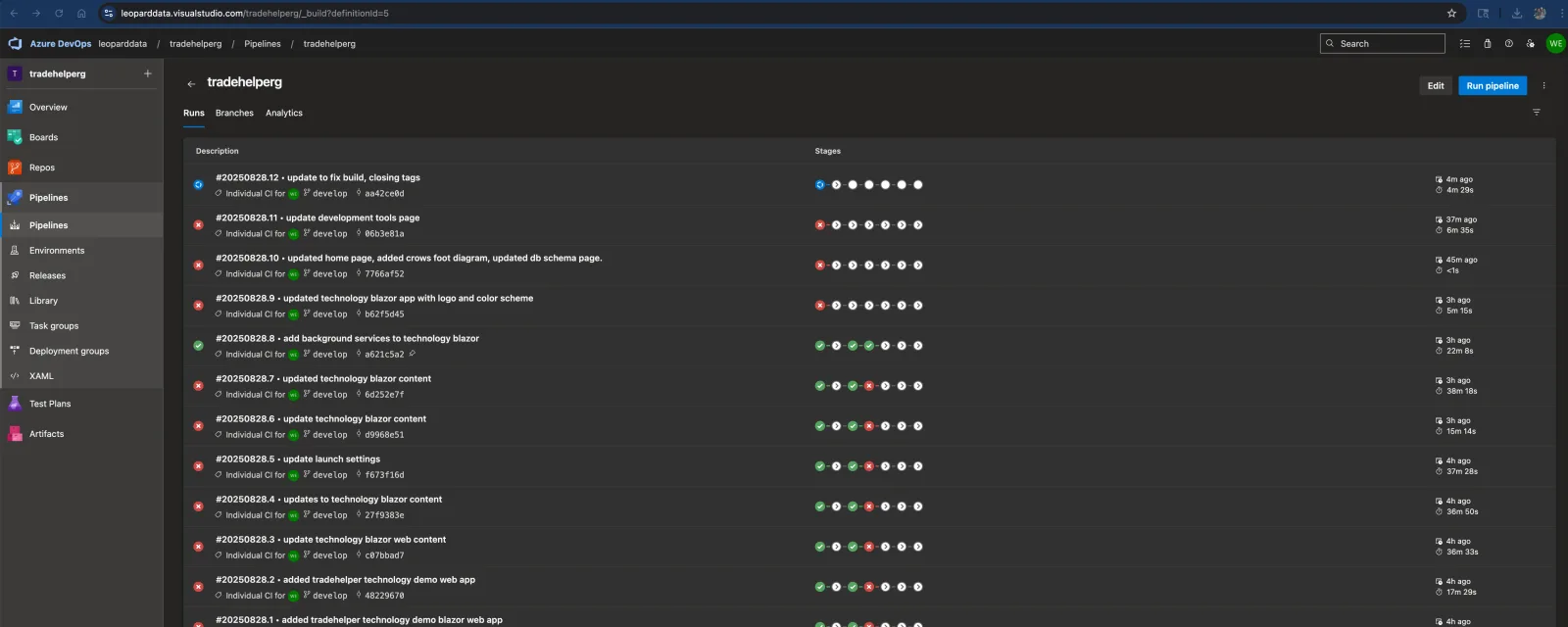
Pipeline Run Dashboard
This dashboard shows:
- Pipeline Status: Success/failure indicators for each run with color-coded status badges
- Commit Information: Associated git commits and pull requests that triggered each build
- Execution Time: Duration of each pipeline run for performance monitoring
- Branch Tracking: Which branch (master/develop) the deployment originated from
- Deployment Stages: Progress through build, test, and deployment phases
Azure DevOps Library Variables
Grade My Investments uses Azure DevOps Library for secure configuration management. Variables are organized into groups for different environments and services, ensuring consistent and secure deployments:
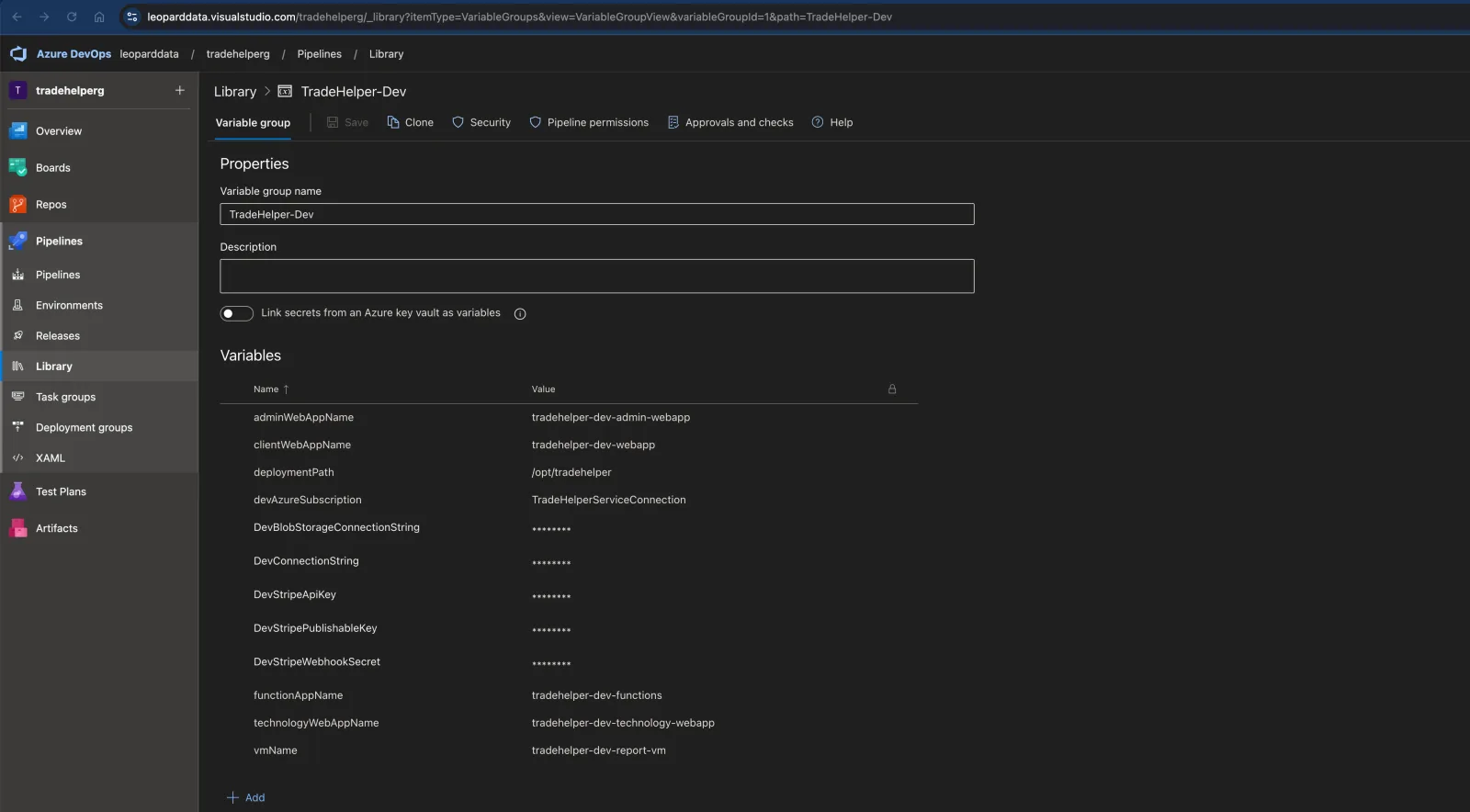
Secure Configuration Management
The Library Variables system provides:
- Environment-Specific Variables: Separate configuration for Development, Staging, and Production
- Secret Management: Secure storage of connection strings, API keys, and credentials
- Variable Groups: Organized sets of related configuration values
- Access Control: Role-based permissions for viewing and modifying sensitive values
- Audit Trail: Complete history of all configuration changes
- Pipeline Integration: Seamless injection of variables during build and release
Source Control
- Azure DevOps Repos
- Git flow branching
- Pull request policies
- Branch protection
Triggers
- Push to master
- Pull requests
- Scheduled builds
- Manual triggers
Notifications
- Email alerts
- Teams integration
- Webhook callbacks
- Deployment reports
Tools & Services
- Azure DevOps
- Azure App Service
- Azure Functions
- Azure Storage
- Application Insights